Description
Product Description
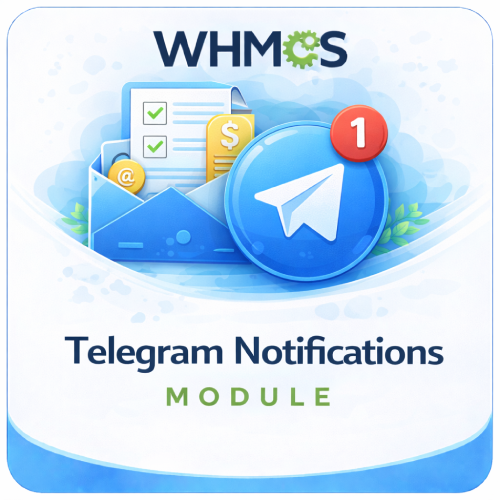
The Telegram Notifications Module For WHMCS connects the WHMCS notification system to Telegram, allowing important business alerts to be delivered directly to a configured chat through your Telegram bot.
Once the provider is configured, you can use WHMCS notification rules to decide which supported system events should trigger Telegram messages. This gives administrators and teams a convenient way to follow relevant WHMCS activity without continually checking the admin dashboard or relying only on email.
Every notification contains a clear title, the event message, and a direct link back to the relevant WHMCS page, helping recipients understand the alert and take action quickly.
How It Works
- Create a Telegram Bot: Use Telegram’s official BotFather service to create a bot and obtain its access token.
- Choose a Destination: Obtain the Telegram chat ID for the user, group, or channel that should receive alerts.
- Configure WHMCS: Enter the bot token and destination chat ID in the Telegram notification-provider settings.
- Test the Connection: Send a test message from WHMCS to confirm that the bot and destination are working.
- Create Notification Rules: Use the WHMCS notification system to select the events that should use Telegram.
- Receive Event Alerts: WHMCS sends the notification title, message, and related link to the configured chat.
Key Features
- Native WHMCS Notification Provider: Integrates with the built-in WHMCS notification system and rule workflow.
- Telegram Bot Integration: Send alerts securely through your own Telegram bot token.
- Configurable Chat Destination: Define the Telegram chat ID that should receive WHMCS alerts.
- Event-Based Notifications: Use WHMCS rules to choose which available system events trigger messages.
- Formatted Alert Messages: Display the event title and notification details in an easy-to-read Telegram message.
- Direct WHMCS Link: Include a convenient link that opens the page associated with the notification.
- Connection Testing: Verify the bot token and chat ID by sending a test message from WHMCS.
- Automatic Delivery: Send configured alerts when the corresponding WHMCS notification rule is triggered.
- No Core File Changes: Install the provider in the standard WHMCS notification-module directory.
WHMCS Notification Rules
The module works with WHMCS notification rules, allowing Telegram delivery to be attached to the system events made available by your WHMCS installation.
- Select Telegram as the notification provider for a WHMCS rule.
- Choose the supported event that should trigger the rule.
- Apply any event conditions offered by the WHMCS notification-rule interface.
- Enable or disable rules as your monitoring requirements change.
- Use separate WHMCS rules for different types of operational activity.
Clear Telegram Messages
- Notification Title: Quickly identify the type of WHMCS event.
- Message Details: Read the notification content supplied by WHMCS.
- Action Link: Open the related WHMCS URL directly from the Telegram message.
- Markdown Formatting: Present the title and link in a clean, recognizable format.
Supported Destinations
Telegram delivery is controlled through the destination chat ID configured in the provider settings.
- Send alerts to a private Telegram chat with your bot.
- Use a group chat ID after adding the bot to the group and granting the required access.
- Use a channel chat ID when the bot has permission to publish messages there.
- Change the configured destination from the WHMCS notification settings.
Simple Administrator Setup
- Enter the Telegram bot token in WHMCS.
- Enter the destination user, group, or channel chat ID.
- Test the connection before creating production notification rules.
- Manage event selection through the familiar WHMCS notification interface.
- Update the bot or destination details without editing module code.
Business Benefits
- Improve Event Visibility: Deliver selected WHMCS activity to a communication app your team already uses.
- Respond Faster: Open the associated WHMCS page directly from the alert message.
- Reduce Email Dependence: Add Telegram as another channel for important operational notifications.
- Keep Teams Informed: Send relevant alerts to a shared group or channel destination.
- Control Alert Volume: Use WHMCS rules to select the events that matter to your workflow.
- Monitor From Anywhere: Receive Telegram messages on supported mobile, desktop, and web applications.
Ideal For
- Web hosting and reseller hosting companies
- WHMCS administrators and business owners
- Technical support and operations teams
- Server and infrastructure administrators
- Agencies managing client services through WHMCS
- Teams already using Telegram for business communication
Why Choose Telegram Notifications Module For WHMCS?
Telegram Notifications adds a practical delivery channel to the native WHMCS notification system. It combines straightforward bot configuration, rule-based event selection, connection testing, and useful alert links in one lightweight provider.
By delivering selected WHMCS alerts to a private chat, group, or channel, the module helps administrators and teams stay aware of important activity and reach the relevant WHMCS page more quickly.