Description
Product Description
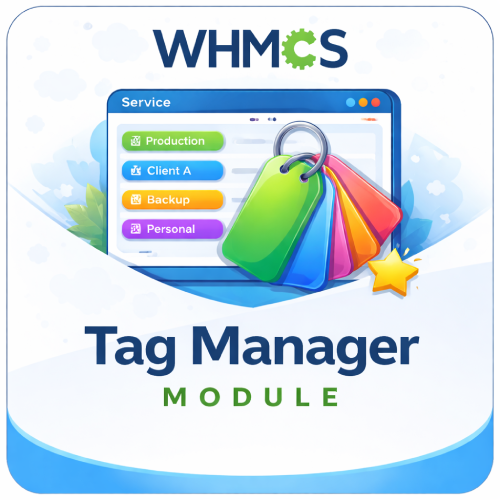
The Tag Manager For WHMCS helps clients organize and recognize their products and services by assigning a custom friendly name to each service from the WHMCS client area.
Standard product names and service IDs can become difficult to distinguish when a customer manages several hosting plans, VPS servers, websites, or projects. Tag Manager adds a simple Add Tag action to the services list, allowing the client to enter a meaningful label such as “Main Website,” “Development Server,” or “Client Project.”
The saved friendly name is displayed beside the original product and domain information, helping customers identify the correct service quickly without changing its official WHMCS product name.
How It Works
- Client Opens My Services: The customer’s existing WHMCS products and services appear in the standard service list.
- Selects Add Tag: A dedicated action is displayed beside services that do not yet have a friendly name.
- Enters a Custom Name: The client adds a short, meaningful label through a simple modal window.
- Tag Is Displayed: The friendly name appears as a visible label beside the product and domain details.
- Edits When Required: The client can reopen the modal and update the saved tag at any time.
Key Features
- Custom Service Tags: Assign one personalized friendly name to each WHMCS product or service instance.
- Client-Managed Labels: Let customers create and update their own service names directly from the client area.
- Visible Service Identification: Display the saved tag beside the standard product and domain information.
- Add and Edit Actions: Automatically show the appropriate action according to whether a service already has a tag.
- Simple Modal Interface: Add or change a friendly name without navigating away from the services page.
- Native WHMCS Storage: Store friendly names using WHMCS product custom fields and custom-field values.
- Automatic Field Creation: Create the required admin-only friendly-name field for WHMCS products when needed.
- No Separate Admin Dashboard: The feature works through the client-area service list without ongoing module configuration.
Better Service Identification
Custom friendly names give customers useful context that a generic product title or numeric service ID cannot provide.
- Identify services by website, customer, department, environment, or project.
- Distinguish several instances of the same hosting plan or VPS product.
- Reduce the chance of opening or managing the wrong service.
- Keep the original WHMCS product, domain, pricing, due date, and status information visible.
- Update labels as a project’s purpose or ownership changes.
Client Area Experience
- Easy Add Tag Link: A clear action appears directly in the service table.
- Quick Editing: Existing tag values are loaded into the modal for convenient updates.
- Visual Label Display: Friendly names are styled as visible status-like labels.
- Familiar Service List: Customers continue using the normal WHMCS My Services interface.
- Responsive Theme Layouts: Use supplied service-list templates designed for supported WHMCS themes.
Included Theme Templates
The package includes customized client-area service-list templates for:
- WHMCS Six
- WHMCS Twenty-One
- Lagom 2
Common Use Cases
- Multiple Hosting Plans: Label each plan according to the website or customer it hosts.
- VPS and Servers: Identify production, development, backup, or testing environments.
- Agency Accounts: Assign each service the name of the related client or project.
- Internal Departments: Label services by team, office, brand, or business unit.
- Similar Products: Distinguish several active instances that share the same official WHMCS product name.
Business Benefits
- Improve Client Experience: Help customers find and recognize services more quickly.
- Reduce Confusion: Replace reliance on generic product names and service IDs with meaningful labels.
- Support Larger Accounts: Make WHMCS easier to use for customers managing many services.
- Keep Management Client-Led: Allow customers to maintain their own service labels.
- Preserve WHMCS Data: Add friendly context without changing official product names or billing information.
- Minimal Administration: Avoid ongoing rule, category, or tag configuration in the admin area.
Ideal For
- Web hosting and reseller hosting providers
- VPS, cloud, and dedicated server businesses
- Digital agencies managing services for multiple clients
- SaaS and managed service providers
- Customers with multiple instances of the same product
- Any WHMCS business seeking simpler client-side service identification
Why Choose Tag Manager For WHMCS?
Tag Manager adds a small but valuable usability improvement to the WHMCS client area. Customers can give each service a name that reflects its real purpose while continuing to see the original product, domain, price, due date, and status.
With client-managed friendly names, clear visual labels, and templates for popular WHMCS themes, the module makes accounts containing multiple services easier to understand and manage.