Description
Product Description
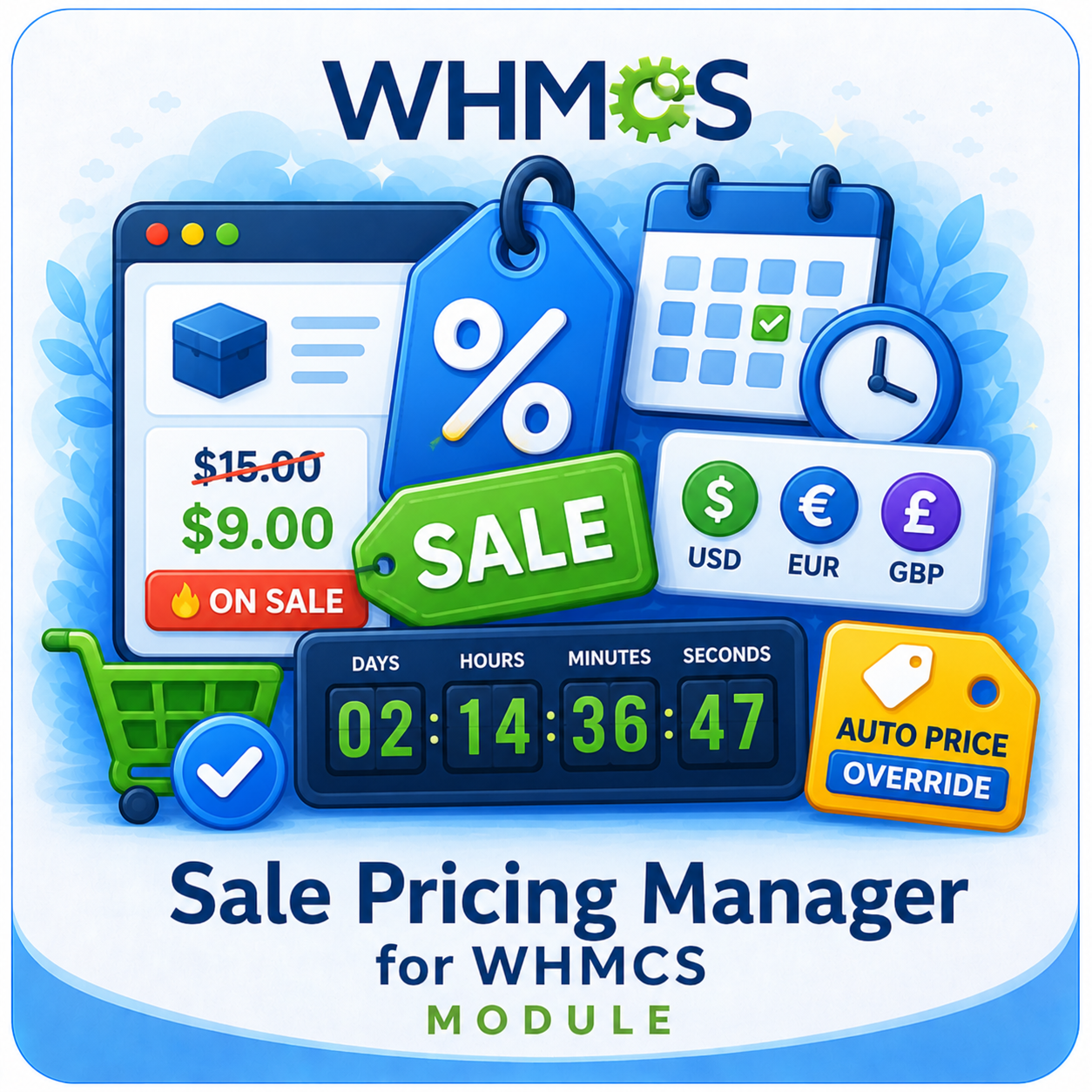
The WHMCS Sale Pricing Manager gives you a structured way to create, schedule, and manage discounted product prices directly inside WHMCS. Configure a separate sale for each product, currency, and supported billing cycle without relying on promotional codes.
Active discounts are presented in the client area with the original price, sale price, billing-cycle label, discount badge, optional promotional text, and a live countdown for timed offers. The module then applies the matching price during cart calculation and checkout.
Everything works through WHMCS hooks, so existing template files do not need to be edited. Administrators can prepare upcoming campaigns, monitor active and expired sales, control visual styling, and move sale configurations through CSV import and export.
How It Works
- Select a Product: Choose the WHMCS product that should receive promotional pricing.
- Choose a Currency: Create pricing that matches a specific configured WHMCS currency.
- Select Billing Cycles: Apply separate sale prices to one or more available product billing cycles.
- Enter Sale Prices: Review the current WHMCS prices and enter a lower promotional amount for each selected cycle.
- Schedule the Offer: Add optional start and end dates with precise times.
- Customize the Display: Configure badge text, promotional text, badge color, and text color.
- Activate the Sale: The matching price and promotional presentation appear automatically during the active period.
Key Features
- Product-Level Sales: Configure promotional pricing for individual WHMCS products.
- Multi-Currency Rules: Set different sale prices for each available WHMCS currency.
- Billing-Cycle Pricing: Manage separate discounts for one-time, monthly, quarterly, semi-annual, annual, biennial, and triennial cycles when available.
- Date and Time Scheduling: Start and end campaigns automatically at the configured time.
- Automatic Price Override: Apply active sale amounts during cart calculation, review, checkout, and service creation.
- Original Price Display: Show customers the regular price alongside the reduced amount.
- Discount Badges: Display a calculated percentage-off badge or configured sale label.
- Countdown Timers: Show the remaining time before a scheduled sale ends.
- Promotional Messaging: Add short campaign text beneath the displayed sale price.
- No Template Edits: Add pricing and promotional output through WHMCS hooks.
Supported Billing Cycles
- One-Time
- Monthly
- Quarterly
- Semi-Annually
- Annually
- Biennially
- Triennially
The sale form reads the billing cycles and current prices available for the selected product and currency. Free products and unavailable pricing cycles are excluded from sale-price entry.
Client-Area Sale Display
- Regular Price: Present the original amount with a strikethrough for quick comparison.
- Sale Price: Highlight the active discounted amount prominently.
- Billing-Cycle Label: Clarify which payment period the displayed price represents.
- Percentage Saving: Calculate the discount from the current product price and sale price.
- Custom Badge: Use a sale label when percentage-based badge display is disabled or unavailable.
- Campaign Message: Display optional promotional text with the offer.
- Live Countdown: Update the remaining days, hours, minutes, and seconds for offers with an end time.
Automatic Cart Pricing
The module checks the selected product, customer currency, and billing cycle before applying a sale. This keeps promotional pricing tied to the exact configuration created by the administrator.
- Apply price overrides before WHMCS calculates cart totals.
- Reapply the correct sale before shopping-cart checkout.
- Return the sale amount through the WHMCS product-pricing override hook.
- Store the promotional amount on the resulting service after checkout.
- Remove stale cart overrides when no matching active sale remains.
Sale Scheduling
- Immediate Sales: Leave the start date empty to make an enabled sale available immediately.
- Upcoming Campaigns: Set a future start date and time in advance.
- Automatic Expiry: Stop applying a sale after its configured end date and time.
- Open-Ended Offers: Leave the end date empty when the sale should continue until manually disabled.
- Status Visibility: Identify active, upcoming, expired, disabled, and globally disabled configurations.
Administrator Features
- Create sale prices for multiple billing cycles in one product form.
- Automatically load current WHMCS product prices for the selected currency.
- Prevent a sale price from being saved above or equal to the regular price.
- View product, currency, billing cycle, regular price, sale price, discount, and status.
- Edit, enable, disable, or delete individual sale configurations.
- Enable or disable all configured sales in one action.
- Pause all active sale behavior with a global status control.
- Review summary counts for products on sale and active, upcoming, or expired offers.
- Configure default badge text, badge color, text color, and percentage badge behavior.
CSV Import and Export
- Full Export: Download active, disabled, upcoming, and expired sale configurations.
- Bulk Import: Upload sale rules from a CSV file.
- Update Matching Rules: Update existing records matched by product, currency, and billing cycle.
- Create New Rules: Add configurations when no matching sale already exists.
- Backup and Editing: Keep an offline copy or prepare larger pricing updates in a spreadsheet.
Business Benefits
- Run Timed Campaigns: Prepare seasonal, launch, or limited-period pricing in advance.
- Show Clear Savings: Help customers compare the regular price and promotional amount.
- Target Pricing Precisely: Set discounts according to product, currency, and payment term.
- Create Urgency: Use sale badges, promotional text, and countdown timers to highlight expiring offers.
- Reduce Manual Changes: Let configured start and end times control campaign availability.
- Maintain Consistent Totals: Carry the selected sale amount through the WHMCS ordering workflow.
Ideal For
- Web hosting and reseller hosting providers
- SaaS and subscription businesses
- IPTV and digital service providers
- Companies operating with multiple currencies
- Businesses offering different billing terms
- Teams running seasonal or limited-time promotions
Why Choose WHMCS Sale Pricing Manager?
WHMCS Sale Pricing Manager combines precise sale rules, timed scheduling, multi-currency support, billing-cycle control, storefront promotion, and automatic cart pricing in one WHMCS addon.
It gives your team a practical way to launch visible product discounts while keeping the displayed offer and applied checkout price aligned, without editing WHMCS template files.