Description
Product Description
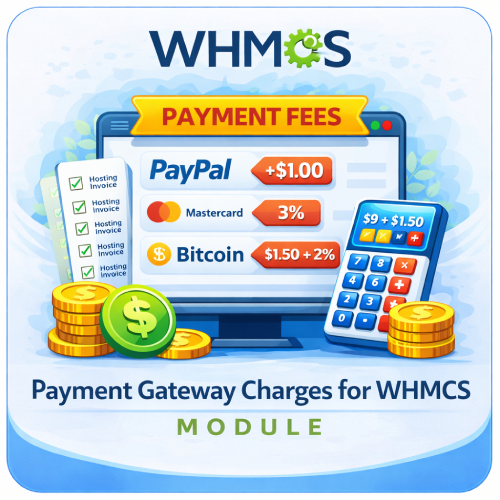
The Payment Gateway Charges For WHMCS module is a practical billing addon that helps businesses recover payment-processing costs by applying an additional charge based on the payment method selected by a customer.
Create a separate fixed or percentage-based charging rule for each available WHMCS payment gateway. When a configured gateway is used, the module calculates the applicable charge, adds it to the invoice as a separate line item, and updates the invoice total automatically.
This gives hosting providers, SaaS platforms, and online service businesses greater control over transaction costs while providing customers with a transparent breakdown of the amount they need to pay.
How It Works
The module connects each charging rule to an individual WHMCS payment gateway and handles the calculation throughout the billing process.
- Select a Payment Gateway: Choose any gateway available in your WHMCS installation.
- Choose the Charge Type: Configure either a fixed monetary charge or a percentage of the invoice subtotal.
- Enter the Amount: Define the amount or percentage you want to apply for that gateway.
- Enable the Rule: Activate or deactivate each gateway rule independently from the addon administration page.
- Customer Selects a Gateway: The checkout total preview is updated to show the subtotal, applicable gateway charge, and revised total.
- Invoice Is Updated: The charge is added as a clearly labelled invoice item and included in the final invoice total.
Key Features
- Fixed Gateway Charges: Add a flat monetary charge when a particular payment method is used.
- Percentage-Based Charges: Calculate the charge as a percentage of the invoice subtotal.
- Individual Gateway Rules: Configure a different charge type and amount for each WHMCS payment gateway.
- Checkout Total Preview: Show customers the subtotal, gateway charge, and updated total during checkout.
- Separate Invoice Line Item: Display the charge with the selected gateway name for a clear invoice breakdown.
- Automatic Invoice Recalculation: Recalculate invoice totals after a charge is added, replaced, or removed.
- Payment Method Synchronization: Apply the rule associated with the payment method assigned to the invoice.
- Duplicate Charge Prevention: Remove the previous gateway charge before recalculating and adding the current charge.
- Admin Invoice Updates: Reapply the correct charge when an administrator changes an invoice payment method.
- Enable or Disable Rules: Control the status of each gateway charge without removing its saved configuration.
Administrator Features
- Automatically load the payment gateways available in WHMCS.
- Manage every gateway rule from one simple table.
- Select fixed or percentage charging for each gateway.
- Set precise values with decimal support.
- Activate or deactivate gateway rules independently.
- Save all gateway configurations from a single administration screen.
- Automatically update charges when an invoice payment method changes.
Customer Experience
- Clear Cost Breakdown: Customers can see the original subtotal, applicable charge, and final amount.
- Transparent Invoice Display: The additional cost appears as a separate gateway-fee invoice item.
- Gateway-Specific Pricing: The displayed total reflects the payment method selected by the customer.
- Informed Payment Choice: Customers can compare the effective cost of available payment methods.
Automatic Charge Management
The module applies and refreshes gateway charges at important points in the WHMCS invoice lifecycle. This helps keep the selected payment method, invoice line item, and final total synchronized.
- Applies the configured rule when an invoice is created.
- Checks and refreshes the charge when an invoice is viewed.
- Recalculates the charge after an admin changes the payment method.
- Removes an outdated gateway charge before adding the replacement.
- Removes the charge when the selected gateway has no active charging rule.
Business Benefits
- Protect Profit Margins: Recover some or all of the costs associated with payment processing.
- Improve Cost Transparency: Show additional payment-method costs separately instead of hiding them in product pricing.
- Use Flexible Pricing Rules: Apply the charging method that best fits the cost structure of each gateway.
- Reduce Manual Invoice Work: Let the module calculate, insert, replace, and remove charges automatically.
- Guide Payment Choices: Help customers understand which gateways have lower processing costs.
- Centralize Management: Configure all supported payment methods from one WHMCS addon page.
Ideal For
- Web hosting and reseller hosting companies
- Cloud infrastructure and managed service providers
- SaaS and subscription-based businesses
- Software and digital product companies
- Agencies and professional service providers
- Any WHMCS business using gateways with different processing costs
Why Choose Payment Gateway Charges For WHMCS?
Payment processing costs can reduce margins across every transaction. This module gives you a straightforward way to assign those costs to the relevant payment methods while keeping the calculation visible and understandable for customers.
With gateway-specific configuration, live checkout totals, separate invoice items, and automatic recalculation, Payment Gateway Charges For WHMCS makes transaction-cost management easier to control without repetitive manual invoice adjustments.