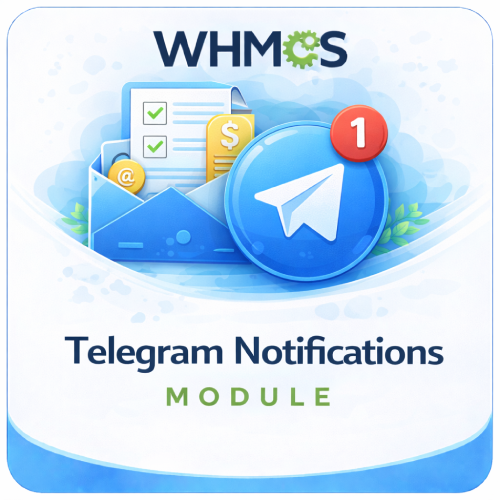
Telegram Notifications Module for WHMCS

$49.00 USD

The Telegram Notifications Module For WHMCS delivers selected WHMCS event alerts directly to your configured Telegram chat.

Included:

  • 7-Day Free Trial Access
  • Multi-Level Technical Support
  • One-Time Payment, No Recurring Fees
  • Lifetime Owned License
  • Instant Download After Purchase
  • Latest WHMCS Compatible

Description

Product Description

The Telegram Notifications Module For WHMCS connects the WHMCS notification system to Telegram, allowing important business alerts to be delivered directly to a configured chat through your Telegram bot.

Once the provider is configured, you can use WHMCS notification rules to decide which supported system events should trigger Telegram messages. This gives administrators and teams a convenient way to follow relevant WHMCS activity without continually checking the admin dashboard or relying only on email.

Every notification contains a clear title, the event message, and a direct link back to the relevant WHMCS page, helping recipients understand the alert and take action quickly.

How It Works

  1. Create a Telegram Bot: Use Telegram’s official BotFather service to create a bot and obtain its access token.
  2. Choose a Destination: Obtain the Telegram chat ID for the user, group, or channel that should receive alerts.
  3. Configure WHMCS: Enter the bot token and destination chat ID in the Telegram notification-provider settings.
  4. Test the Connection: Send a test message from WHMCS to confirm that the bot and destination are working.
  5. Create Notification Rules: Use the WHMCS notification system to select the events that should use Telegram.
  6. Receive Event Alerts: WHMCS sends the notification title, message, and related link to the configured chat.

Key Features

  • Native WHMCS Notification Provider: Integrates with the built-in WHMCS notification system and rule workflow.
  • Telegram Bot Integration: Send alerts securely through your own Telegram bot token.
  • Configurable Chat Destination: Define the Telegram chat ID that should receive WHMCS alerts.
  • Event-Based Notifications: Use WHMCS rules to choose which available system events trigger messages.
  • Formatted Alert Messages: Display the event title and notification details in an easy-to-read Telegram message.
  • Direct WHMCS Link: Include a convenient link that opens the page associated with the notification.
  • Connection Testing: Verify the bot token and chat ID by sending a test message from WHMCS.
  • Automatic Delivery: Send configured alerts when the corresponding WHMCS notification rule is triggered.
  • No Core File Changes: Install the provider in the standard WHMCS notification-module directory.

WHMCS Notification Rules

The module works with WHMCS notification rules, allowing Telegram delivery to be attached to the system events made available by your WHMCS installation.

  • Select Telegram as the notification provider for a WHMCS rule.
  • Choose the supported event that should trigger the rule.
  • Apply any event conditions offered by the WHMCS notification-rule interface.
  • Enable or disable rules as your monitoring requirements change.
  • Use separate WHMCS rules for different types of operational activity.

Clear Telegram Messages

  • Notification Title: Quickly identify the type of WHMCS event.
  • Message Details: Read the notification content supplied by WHMCS.
  • Action Link: Open the related WHMCS URL directly from the Telegram message.
  • Markdown Formatting: Present the title and link in a clean, recognizable format.

Supported Destinations

Telegram delivery is controlled through the destination chat ID configured in the provider settings.

  • Send alerts to a private Telegram chat with your bot.
  • Use a group chat ID after adding the bot to the group and granting the required access.
  • Use a channel chat ID when the bot has permission to publish messages there.
  • Change the configured destination from the WHMCS notification settings.

Simple Administrator Setup

  • Enter the Telegram bot token in WHMCS.
  • Enter the destination user, group, or channel chat ID.
  • Test the connection before creating production notification rules.
  • Manage event selection through the familiar WHMCS notification interface.
  • Update the bot or destination details without editing module code.

Business Benefits

  • Improve Event Visibility: Deliver selected WHMCS activity to a communication app your team already uses.
  • Respond Faster: Open the associated WHMCS page directly from the alert message.
  • Reduce Email Dependence: Add Telegram as another channel for important operational notifications.
  • Keep Teams Informed: Send relevant alerts to a shared group or channel destination.
  • Control Alert Volume: Use WHMCS rules to select the events that matter to your workflow.
  • Monitor From Anywhere: Receive Telegram messages on supported mobile, desktop, and web applications.

Ideal For

  • Web hosting and reseller hosting companies
  • WHMCS administrators and business owners
  • Technical support and operations teams
  • Server and infrastructure administrators
  • Agencies managing client services through WHMCS
  • Teams already using Telegram for business communication

Why Choose Telegram Notifications Module For WHMCS?

Telegram Notifications adds a practical delivery channel to the native WHMCS notification system. It combines straightforward bot configuration, rule-based event selection, connection testing, and useful alert links in one lightweight provider.

By delivering selected WHMCS alerts to a private chat, group, or channel, the module helps administrators and teams stay aware of important activity and reach the relevant WHMCS page more quickly.

What does Telegram Notifications Module for WHMCS do?

It sends real-time WHMCS system alerts directly to configured Telegram private chats, groups, or group topics.

Is this module compatible with the latest WHMCS version?

Yes, the module is compatible with the latest supported WHMCS version.

Is this module compatible with current PHP versions?

Yes, it supports the PHP versions compatible with the latest WHMCS release.

Does the module require a Telegram bot?

Yes, you must create a Telegram bot and enter its bot token in the module settings.

How do I create a Telegram bot?

Open the official @BotFather account in Telegram, create a bot, and copy the generated access token into WHMCS.

What is a Telegram bot token?

It is a private credential that authorizes the module to send messages through your Telegram bot.

Should I share the bot token publicly?

No, keep it private because anyone with access to it may be able to control your bot.

Can I replace a compromised bot token?

Yes, revoke the old token through @BotFather, generate a new one, and update the module settings.

What is a Telegram chat ID?

It is the unique identifier for the private chat, group, or channel destination that receives notifications.

Can the module send alerts to a private Telegram chat?

Yes, you can configure your personal chat ID as a notification destination.

Can alerts be sent to a Telegram group?

Yes, add the bot to the group and configure the group’s chat ID.

Does the bot need administrator access in a group?

It needs sufficient permission to post messages. Additional rights depend on the group configuration and required functionality.

Can alerts be sent to Telegram channels?

Channel support depends on the destination options and bot permissions supported by the installed module version.

Does the module support Telegram group topics?

Yes, notifications can be routed to specific topics within supported Telegram forum groups.

Can different notification types use different topics?

Yes, supported event rules can route selected notifications to separate group topics.

Can I use multiple chat IDs?

Yes, different chats can be configured for different notification types.

Can orders be sent to one chat and tickets to another?

Yes, flexible routing can deliver different WHMCS events to different chat IDs.

Can alerts be sent to more than one team?

Yes, configure separate destinations for supported departments, event categories, or staff groups.

Which WHMCS events can trigger notifications?

Supported rules can cover events such as new orders, invoices, payments, support tickets, and client activity.

Can I receive an alert for every new order?

Yes, create or enable a notification rule for the applicable new-order event.

Can I receive invoice-created alerts?

Yes, supported invoice events can trigger Telegram messages.

Can I receive payment-confirmation alerts?

Yes, supported payment events can notify administrators when a payment is recorded.

Can I receive overdue-invoice alerts?

Overdue notification availability depends on the WHMCS events exposed by the installed module version.

Can I receive new support-ticket alerts?

Yes, supported ticket events can send alerts to a private or group chat.

Can I receive alerts for customer ticket replies?

Yes, if the relevant customer-reply event is enabled in your notification rules.

Can I reply to support tickets through this module?

No, this module focuses on notifications. Telegram Ticket Manager is intended for replying to and managing tickets.

Can I receive new-client registration alerts?

Yes, supported client events can be routed to Telegram.

Can I receive service activation alerts?

Yes, when the corresponding supported WHMCS event is available and enabled.

Can I receive suspension or termination alerts?

Yes, supported service lifecycle events can trigger messages when configured.

Can domain events trigger Telegram notifications?

Domain-event support depends on the notification events provided by WHMCS and exposed in the installed module version.

Can I choose exactly which events send messages?

Yes, administrators can create notification rules for selected WHMCS events.

Can unwanted notification types be disabled?

Yes, do not create or enable rules for events you do not want to receive.

Are notifications sent immediately?

Messages are sent when the configured WHMCS event is processed, subject to server and Telegram API availability.

Does the module require the WHMCS cron job?

Event-based notifications run when events occur. Scheduled events may still depend on the normal WHMCS cron process.

Does it require a separate custom cron job?

No separate custom cron is required for standard event-based notifications unless specified by your installed version.

Does the module require Telegram webhooks?

No webhook is generally required for one-way message delivery through the Telegram Bot API.

Does my WHMCS website need HTTPS?

HTTPS is strongly recommended for WHMCS security, although basic outbound Telegram message delivery does not normally require a public webhook.

Does the server need internet access?

Yes, the WHMCS server must be able to connect to the Telegram Bot API.

Can the module work where Telegram is restricted?

It includes support for Telegram Bot Proxy configurations that can help in restricted regions where legally permitted.

What is Telegram Bot Proxy support?

It lets the module route supported bot requests through a configured proxy instead of connecting directly to Telegram.

Does the module include a proxy service?

No, you must provide and configure a suitable proxy if one is required.

Can I customize notification messages?

Message customization depends on the templates and rule options available in the installed module version.

Can messages include customer information?

Yes, supported event data can be included in notifications when available.

Can messages include order or invoice IDs?

Yes, supported WHMCS variables can identify the related order or invoice.

Can a message include a link to the WHMCS admin area?

Admin links can be included when supported by the message template and event variables.

Can messages include emojis?

Yes, Telegram supports Unicode and emojis when included in the configured message content.

Can messages use Telegram formatting?

Formatting depends on whether the module sends messages using a supported Telegram parse mode.

Can messages include images or files?

The confirmed feature is text-based system notifications. Media delivery should only be advertised if supported by your installed version.

Can the module send marketing messages to customers?

No, it is intended for WHMCS system notifications. Telegram Integration for WHMCS provides customer-facing communication tools.

Does the module link customer Telegram accounts?

No, it sends administrative notifications to configured chat IDs.

Do customers need a Telegram account?

No, only the administrators or teams receiving alerts need access to the configured Telegram destination.

Can multiple staff members receive the same notification?

Yes, send alerts to a Telegram group containing the relevant team members.

Can staff mute Telegram notifications?

Yes, each Telegram user can manage notification preferences, but muted alerts may delay responses.

Does the module confirm that a staff member has read an alert?

No, Telegram delivery does not guarantee that a team member has read or acted on the message.

What happens if Telegram is temporarily unavailable?

Delivery may fail or be delayed, while the original WHMCS event remains recorded in WHMCS.

Does the module retry failed notifications?

Retry behavior depends on the error handling included in the installed module version.

Are failed Telegram requests logged?

Logging depends on the module’s available activity or WHMCS module-log integration.

What happens if the chat ID is incorrect?

Messages will not reach the intended destination until a valid chat ID is configured.

What happens if the bot is removed from a group?

The module can no longer send notifications to that group.

What happens if the bot is blocked in a private chat?

Private notifications will fail until the bot is unblocked and the chat remains available.

Can one bot be used for multiple WHMCS installations?

It may be possible, but separate bots are often easier to manage and identify securely.

Can multiple bots be configured?

Multi-bot support should only be advertised if it is available in your installed module version.

Does the module store Telegram account passwords?

No, it uses the bot token and chat identifiers rather than personal Telegram passwords.

Is customer information sent to Telegram?

Event notifications may contain the customer, order, invoice, ticket, or service details included in your configured messages.

Should sensitive data be included in Telegram alerts?

No, avoid sending passwords, payment-card details, API keys, authentication tokens, or other confidential information.

Should Telegram notifications be mentioned in my Privacy Policy?

Yes, if customer information is transmitted to Telegram, your policy should accurately describe the processing and third-party service.

Does the module replace email notifications?

No, it provides an additional real-time channel while WHMCS email notifications can continue normally.

Can Telegram and email notifications be used together?

Yes, both channels can operate at the same time.

Does the module replace the WHMCS admin dashboard?

No, it gives quick alerts while complete records and management controls remain in WHMCS.

Can notifications improve response time?

Yes, real-time Telegram alerts can help staff react more quickly to orders, payments, tickets, and account events.

Does the module modify WHMCS core files?

No, it operates as a WHMCS addon without modifying WHMCS core files.

Does it work with custom WHMCS themes?

Yes, administrative event notifications do not depend heavily on the client-area theme.

Is coding required for setup?

No, standard setup requires a Telegram bot token, chat IDs, and notification rules.

Who should use this module?

It is suitable for hosting providers, server administrators, resellers, agencies, support teams, and business owners who need immediate WHMCS alerts.