Tag Manager for WHMCS

$49.00 USD

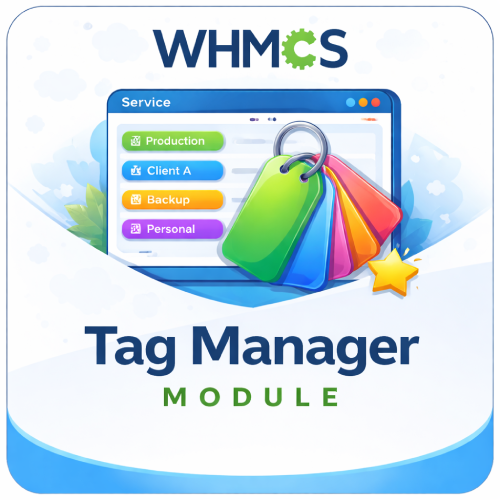
The Tag Manager For WHMCS lets clients assign an easy-to-recognize custom name to each service, making multiple hosting plans, VPS servers, and projects simpler to identify.

Included:

  • 7-Day Free Trial Access
  • Multi-Level Technical Support
  • One-Time Payment, No Recurring Fees
  • Lifetime Owned License
  • Instant Download After Purchase
  • Latest WHMCS Compatible

Description

Product Description

The Tag Manager For WHMCS helps clients organize and recognize their products and services by assigning a custom friendly name to each service from the WHMCS client area.

Standard product names and service IDs can become difficult to distinguish when a customer manages several hosting plans, VPS servers, websites, or projects. Tag Manager adds a simple Add Tag action to the services list, allowing the client to enter a meaningful label such as “Main Website,” “Development Server,” or “Client Project.”

The saved friendly name is displayed beside the original product and domain information, helping customers identify the correct service quickly without changing its official WHMCS product name.

How It Works

  1. Client Opens My Services: The customer’s existing WHMCS products and services appear in the standard service list.
  2. Selects Add Tag: A dedicated action is displayed beside services that do not yet have a friendly name.
  3. Enters a Custom Name: The client adds a short, meaningful label through a simple modal window.
  4. Tag Is Displayed: The friendly name appears as a visible label beside the product and domain details.
  5. Edits When Required: The client can reopen the modal and update the saved tag at any time.

Key Features

  • Custom Service Tags: Assign one personalized friendly name to each WHMCS product or service instance.
  • Client-Managed Labels: Let customers create and update their own service names directly from the client area.
  • Visible Service Identification: Display the saved tag beside the standard product and domain information.
  • Add and Edit Actions: Automatically show the appropriate action according to whether a service already has a tag.
  • Simple Modal Interface: Add or change a friendly name without navigating away from the services page.
  • Native WHMCS Storage: Store friendly names using WHMCS product custom fields and custom-field values.
  • Automatic Field Creation: Create the required admin-only friendly-name field for WHMCS products when needed.
  • No Separate Admin Dashboard: The feature works through the client-area service list without ongoing module configuration.

Better Service Identification

Custom friendly names give customers useful context that a generic product title or numeric service ID cannot provide.

  • Identify services by website, customer, department, environment, or project.
  • Distinguish several instances of the same hosting plan or VPS product.
  • Reduce the chance of opening or managing the wrong service.
  • Keep the original WHMCS product, domain, pricing, due date, and status information visible.
  • Update labels as a project’s purpose or ownership changes.

Client Area Experience

  • Easy Add Tag Link: A clear action appears directly in the service table.
  • Quick Editing: Existing tag values are loaded into the modal for convenient updates.
  • Visual Label Display: Friendly names are styled as visible status-like labels.
  • Familiar Service List: Customers continue using the normal WHMCS My Services interface.
  • Responsive Theme Layouts: Use supplied service-list templates designed for supported WHMCS themes.

Included Theme Templates

The package includes customized client-area service-list templates for:

  • WHMCS Six
  • WHMCS Twenty-One
  • Lagom 2

Common Use Cases

  • Multiple Hosting Plans: Label each plan according to the website or customer it hosts.
  • VPS and Servers: Identify production, development, backup, or testing environments.
  • Agency Accounts: Assign each service the name of the related client or project.
  • Internal Departments: Label services by team, office, brand, or business unit.
  • Similar Products: Distinguish several active instances that share the same official WHMCS product name.

Business Benefits

  • Improve Client Experience: Help customers find and recognize services more quickly.
  • Reduce Confusion: Replace reliance on generic product names and service IDs with meaningful labels.
  • Support Larger Accounts: Make WHMCS easier to use for customers managing many services.
  • Keep Management Client-Led: Allow customers to maintain their own service labels.
  • Preserve WHMCS Data: Add friendly context without changing official product names or billing information.
  • Minimal Administration: Avoid ongoing rule, category, or tag configuration in the admin area.

Ideal For

  • Web hosting and reseller hosting providers
  • VPS, cloud, and dedicated server businesses
  • Digital agencies managing services for multiple clients
  • SaaS and managed service providers
  • Customers with multiple instances of the same product
  • Any WHMCS business seeking simpler client-side service identification

Why Choose Tag Manager For WHMCS?

Tag Manager adds a small but valuable usability improvement to the WHMCS client area. Customers can give each service a name that reflects its real purpose while continuing to see the original product, domain, price, due date, and status.

With client-managed friendly names, clear visual labels, and templates for popular WHMCS themes, the module makes accounts containing multiple services easier to understand and manage.

What does Tag Manager for WHMCS do?

It allows customers to create and assign custom tags to their services directly from the WHMCS client area.

Is this module compatible with the latest WHMCS version?

Yes, the module is compatible with the latest supported WHMCS version.

Is this module compatible with current PHP versions?

Yes, it supports the PHP versions compatible with the latest WHMCS release.

Why are service tags useful?

Tags help customers identify, group, and organize services by purpose, project, client, environment, location, or another meaningful label.

Who creates the service tags?

Customers create and manage their own tags through the WHMCS client area.

Do administrators need to create tags for customers?

No, the tagging workflow is fully client-managed.

Does the module require initial admin configuration?

No special tag setup is required before customers begin organizing their services.

Can a customer create a custom tag?

Yes, customers can enter labels that match how they organize their services.

Can customers edit an existing tag?

Yes, tags can be renamed or updated through the client-area management interface.

Can customers remove tags?

Yes, customers can remove tags they no longer need.

Can multiple tags be assigned to one service?

Yes, a single service can have multiple tags for flexible organization.

Can the same tag be used on multiple services?

Yes, customers can reuse a meaningful tag to group related services.

Can each service have a different set of tags?

Yes, tags are assigned according to each customer’s organization requirements.

Can tags be assigned to hosting services?

Yes, customers can use tags to organize eligible hosting products and services.

Can tags be assigned to VPS or dedicated servers?

Yes, eligible server services can be labeled according to project, environment, purpose, or location.

Can tags be assigned to SaaS subscriptions?

Yes, eligible WHMCS services can be tagged regardless of the type of service being sold.

Can tags be assigned to domains?

The confirmed functionality covers services. Domain tagging should only be advertised if supported by your installed version.

Can tags be assigned to invoices or support tickets?

No, the confirmed feature is designed for organizing client services.

Can tags be added during checkout?

The confirmed workflow manages tags from the client area after the service exists.

Are tags visible during service ordering?

No ordering-stage tag feature was confirmed.

Where are tags displayed?

Tags are displayed alongside eligible services in the WHMCS client area.

Can customers see tags on the service details page?

Yes, assigned tags are displayed through the service-tagging interface.

Do tags replace the product or service name?

No, tags provide additional context while the original WHMCS product name remains unchanged.

Do tags change the WHMCS service ID?

No, tags are organizational labels and do not alter the underlying service record.

Do tags affect service provisioning?

No, they do not change provisioning, billing, suspension, renewal, or termination behavior.

Do tags affect product pricing?

No, tags have no effect on product or service pricing.

Do tags appear on invoices?

Invoice display should only be advertised if supported by your installed module version.

Do tags affect recurring billing?

No, recurring billing continues through the standard WHMCS workflow.

Can a customer use tags such as Production, Development, and Testing?

Yes, environment labels are a practical way to organize technical services.

Can tags be used for customer or project names?

Yes, agencies and resellers can tag services by client, project, department, or campaign.

Can tags be used for service location?

Yes, customers can create labels such as US Server, London, Europe, or Backup Location.

Can tags be used to identify service purpose?

Yes, examples include Website Hosting, Email Server, Database, Streaming, Backup, or Internal Tools.

Can tags contain spaces?

Tag formatting depends on the input rules provided by the installed module version.

Can tags contain numbers or special characters?

Allowed characters depend on the module’s tag-validation rules.

Is there a maximum tag length?

Length limits depend on the validation and database configuration in the installed version.

Is there a limit to the number of tags per service?

The confirmed feature supports multiple tags. Any maximum should be checked in your installed version.

Is there a limit to the total number of tags a customer can create?

A specific overall limit was not confirmed.

Can two customers use the same tag name?

Yes, each customer manages tags within their own service organization workflow.

Can one customer see another customer’s tags?

No, clients can access only their own WHMCS account and eligible services.

Are tags private?

Tags are intended for the authenticated client area and are not public product labels.

Can administrators see customer-created tags?

Administrator visibility depends on the admin features included in the installed module version.

Can administrators create or edit tags for a client?

Admin-side tag management should only be advertised if supported by the installed version.

Can administrators restrict specific tag words?

Restricted-word controls should only be advertised if provided by the installed version.

Can tags be color-coded?

Color controls should only be claimed if included in your installed module version.

Can tags include icons?

Icon support should only be advertised if included in the installed module version.

Can customers filter their services by tag?

Tag-based filtering should only be advertised if it is available in your installed version.

Can customers search for a tag?

Tag search should only be claimed if the client interface includes a supported search function.

Can tags be sorted?

Sorting behavior depends on the client-area interface in the installed version.

Can tags be used through the WHMCS API?

API access to tags should only be advertised if an API endpoint is included in the installed module.

Can tags be imported or exported?

Import and export functionality was not confirmed.

Can tags be synchronized with external systems?

External synchronization requires a supported integration or custom development.

Will tags remain after a service is suspended?

Tags are organizational data and should remain associated with the service unless removed or the service record is deleted.

Will tags remain after a service is canceled or terminated?

Retention depends on how the module handles inactive and deleted WHMCS service records.

What happens if a tag is deleted?

The selected tag is removed according to the module’s client-area management workflow.

Can a customer remove one tag without affecting others?

Yes, tags can be managed individually.

Does the module support a responsive interface?

Yes, the tagging interface is designed for desktop, tablet, and mobile use.

Does it work with standard WHMCS client themes?

Yes, it is designed to integrate naturally with standard WHMCS client interfaces.

Does it work with the Lagom theme?

Compatibility should be tested with your specific Lagom version and customizations.

Does it work with custom WHMCS themes?

It should work with themes that preserve standard client-area structures, while heavily customized templates may require styling adjustments.

Does the module require WHMCS core-file modifications?

No, it operates as a WHMCS addon without modifying WHMCS core files.

Are template modifications required?

Standard installation should not require manual template edits.

Does the module require an external API?

No external service is required for the confirmed service-tagging functionality.

Does it require a cron job?

No scheduled task is required for normal client-managed tagging.

Does it affect website performance?

It is a lightweight organizational feature and should have minimal performance impact.

Can tags reduce support requests?

Yes, clearer service identification can reduce confusion when customers contact support about multiple services.

Can tags improve the client experience?

Yes, customers can recognize services by meaningful labels rather than relying only on product names or service IDs.

Is this module useful for customers with only one service?

It can still be used, but it provides the greatest value to customers managing multiple services.

Who should use this module?

It is suitable for hosting providers, SaaS platforms, VPS businesses, agencies, resellers, and other WHMCS companies whose customers manage multiple services.