
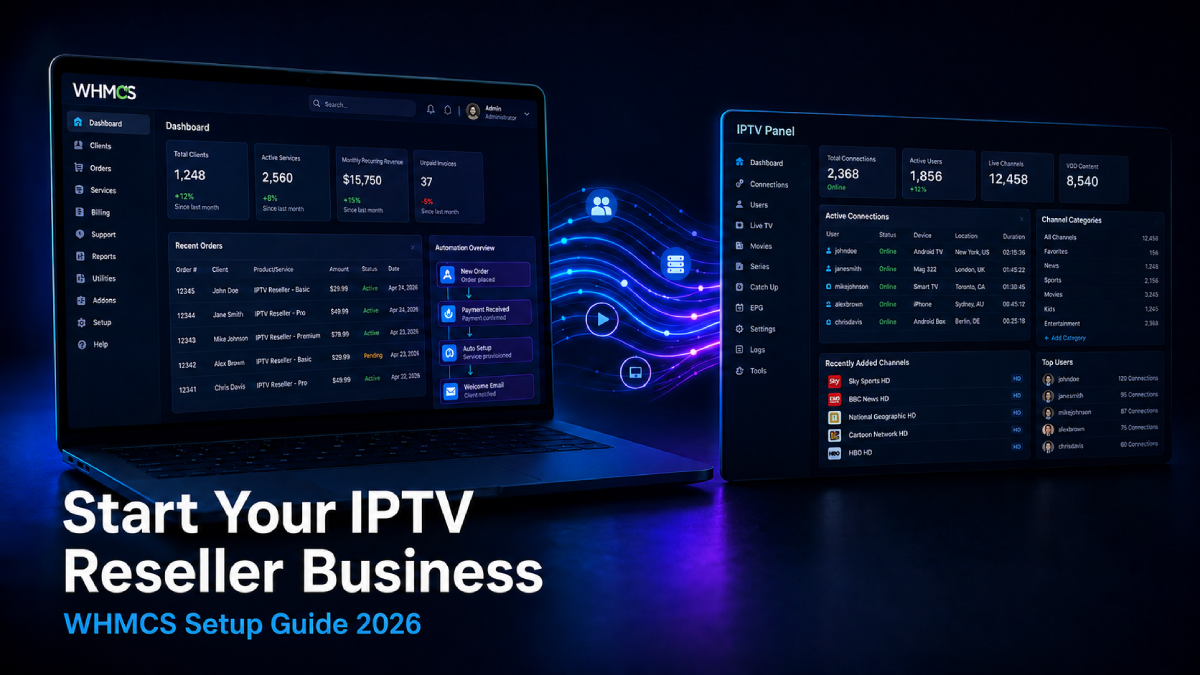
Starting an IPTV reseller business is one of the most accessible ways to build a recurring revenue stream in the digital services space. The barrier to entry is low, the demand is consistent, and the operational overhead — when set up correctly — is minimal. The key word there is correctly. Most new IPTV resellers start without a proper billing system, manage everything manually, and hit a ceiling within the first few months.
This guide covers how to start an IPTV reseller business the right way — with WHMCS as your billing backbone and proper automation from day one so your business can scale without scaling your workload.
What Is an IPTV Reseller Business?
An IPTV reseller business involves purchasing subscription credits or connections from an IPTV panel provider at wholesale rates and reselling them to end customers at a margin. You are not hosting the content — you are managing the subscriptions, billing, and customer relationships on top of an existing panel infrastructure.
The business model works on recurring revenue. Customers pay monthly, quarterly, or annually for their IPTV subscription. Your job is to manage that billing cycle, provision accounts on your panel, handle renewals, and provide support.
Without automation, every one of those steps requires manual work. With WHMCS and the right modules, all of it runs automatically.
What You Need Before Starting
Before setting up anything, make sure you have these in place:
IPTV Panel Reseller Account You need a reseller account on at least one supported IPTV panel. The most widely used panel types are XUI ONE, NXT Dash, Xtream UI, and OneStream. Your reseller account gives you credits that you use to create customer subscriptions.
A Domain Name Your WHMCS client area and your business need a domain. Choose something that reflects your brand — avoid using generic terms that could be confused with panel providers or competitors.
Web Hosting or VPS WHMCS requires a hosting environment with PHP 8.1 or higher, MySQL, and ionCube Loader installed. A VPS gives you more control and is recommended over shared hosting for WHMCS.
SSL Certificate Your WHMCS installation must run on HTTPS. Most hosting providers include a free SSL certificate — make sure it is active before going live.
A Business Email Set up a professional email address on your domain for customer communication and payment gateway verification.
Step 1 — Choose Your IPTV Panel Type
Your panel choice determines which WHMCS provisioning module you need, so it is worth thinking through before setting up anything else.
XUI ONE One of the most popular panel types for IPTV resellers. Clean interface, good API support, and widely used across the industry. If you are starting fresh and have not yet committed to a panel, XUI ONE is a solid first choice.
NXT Dash Growing in popularity, particularly among resellers who prefer its dashboard design and bouquet management system. Good API coverage and reliable for automated provisioning.
Xtream UI One of the original IPTV panel systems. Widely supported and has a large existing user base. Some operators prefer it for its familiarity and broad compatibility with IPTV apps.
OneStream A newer panel type gaining traction for its clean interface and streaming reliability. Good choice if your panel provider offers it.
Running Multiple Panels If you plan to run more than one panel type — or want the flexibility to add more later — the OTT Master Panel module handles all of the above from one WHMCS installation, which simplifies your setup considerably as you grow.
Step 2 — Install and Configure WHMCS
WHMCS is the billing and client management platform that runs your entire subscription operation. Download it from whmcs.com and install it on your server following their documentation.
Key configuration steps after installation:
General Settings Set your company name, logo, support email, and default currency. These appear on all customer invoices and emails.
Automation Settings This is where you define how your billing cycle behaves:
- How many days before due date invoices are generated
- How many days overdue before service suspends
- How many days suspended before service terminates
- Automated reminder email schedule
Cron Job All WHMCS automation runs through a cron job. This must be configured correctly or nothing will automate. Set it to run every 5 minutes:
*/5 * * * * /usr/bin/php -q /path/to/whmcs/cron/cron.phpEmail Templates Configure your customer email templates:
- Welcome email with credentials after new order
- Invoice generated notification
- Payment received confirmation
- Overdue invoice reminders
- Service suspended notification
- Service reactivation confirmation
Step 3 — Connect Your IPTV Panel with a WHMCS Module
This step is what separates a manual IPTV operation from an automated one. A WHMCS provisioning module connects your billing system to your panel via API so that every billing event triggers a corresponding action on your panel automatically.
For single panel setups:
If you are running one panel type, install the dedicated module for that panel:
- XUI ONE Reseller Module for WHMCS — full automation for XUI ONE panels
- NXT Dash Reseller Module for WHMCS — full automation for NXT Dash panels
- Xtream UI Reseller Module for WHMCS — full automation for Xtream UI panels
For multi-panel setups:
If you plan to run more than one panel type or want the flexibility to expand later, the OTT Master Panel for WHMCS connects all supported panel types from a single module. One installation, one interface, one set of logs — regardless of how many panels you run.
What the module automates:
- Account creation when customer pays
- Credential delivery by email
- Service renewal when invoice is paid
- Service suspension when invoice goes overdue
- Service termination on cancellation
- Customer self-service portal for credentials and M3U access
All of the above happens without you touching anything once the module is configured.
Step 4 — Set Up Payment Gateways
Your customers need a way to pay. WHMCS supports multiple payment gateways simultaneously — setting up more than one from the start protects you from single point of failure and gives customers payment options.
Stripe Checkout The most reliable option for recurring IPTV subscription billing. Handles failed payment retries automatically, supports most countries, and has clean dispute resolution. The Stripe Checkout Module for WHMCS integrates directly with your WHMCS billing cycle.
Coinbase Commerce For crypto payments. No chargebacks by design, works for customers in any country, and removes payment processor restrictions entirely. Ideal as a secondary gateway alongside Stripe.
Square Good option for US, UK, and Canada based customers. More stable than PayPal for digital service businesses and has a clean WHMCS integration.
Amazon Pay Customers pay with their existing Amazon account — significantly improves checkout conversion for new businesses where customers don’t yet trust your brand.
Avoid relying on PayPal as your primary gateway for IPTV businesses. Accounts in the streaming space get restricted frequently without warning, and the dispute process heavily favours buyers.
Step 5 — Create Your WHMCS Products
With your panel connected and payment gateways active, create your product lineup in WHMCS:
Product Structure Create a product group for your IPTV services. Add individual products per plan tier — for example Basic (1 connection), Standard (2 connections), Premium (4 connections).
Billing Cycles Set pricing per billing cycle — monthly, quarterly, semi-annual, and annual. Offer a discount on longer cycles to encourage annual subscriptions, which improves your cash flow and reduces churn.
Module Settings For each product, assign your provisioning module, select your panel, set the service type (Streamline or MAG), and map each billing cycle to the corresponding package on your panel.
Welcome Email Configure the product welcome email to include the customer’s credentials, M3U URL, portal address, and a link to your client area. This email fires automatically after payment — first impressions matter.
Step 6 — Test Before Going Live
Before launching to customers, run a full end-to-end test:
- Create a test client account
- Place a test order
- Complete a test payment
- Confirm account created on your panel automatically
- Confirm welcome email received with correct credentials
- Log into client area and verify all self-service options work correctly
- Test suspension by simulating an overdue invoice
- Test reactivation by paying the overdue invoice
- Test termination via cancellation request
Only go live after every step in this list passes cleanly. Discovering a broken automation flow after real customers are on your system is significantly harder to fix.
Step 7 — Launch and Get Your First Customers
With your system live and tested, focus on getting your first customers:
Start With Your Network Your first 5-10 customers almost always come from people you already know. Offer a trial period or discounted first month to get initial subscribers on your system and test it under real conditions.
Build a Presence in IPTV Communities Forums and communities where IPTV users discuss services are where your target customers spend time. Provide helpful answers and make your service known — avoid hard selling, focus on being genuinely useful.
Offer a Trial A 24-48 hour trial reduces the barrier for new customers significantly. Most IPTV resellers who offer trials convert a higher percentage of prospects than those who don’t.
Automate Your Renewal Communication WHMCS handles renewal invoice generation and reminder emails automatically. Make sure your email templates are professional and give customers enough notice before their service expires to avoid unnecessary churn.
What Full Automation Looks Like
Once your WHMCS and panel module setup is running correctly, your day-to-day involvement drops to near zero for routine subscription management:
- New orders provision and deliver credentials automatically
- Invoices generate and reminders send on schedule
- Overdue accounts suspend without manual action
- Paid renewals reactivate instantly
- Customers manage their own credentials and details
Your time shifts from operational tasks to growing the business — finding new customers, improving your service, and expanding your panel capacity.
Summary: What You Need to Launch
| Component | Purpose |
|---|---|
| IPTV panel reseller account | Your subscription inventory |
| Domain + hosting + SSL | Your WHMCS environment |
| WHMCS installation | Billing and client management |
| IPTV provisioning module | Panel automation |
| Payment gateway module | Customer payments |
| Configured products | Your service lineup |
| Tested automation | Reliable operations |
All WHMCS modules mentioned in this guide — panel provisioning modules and payment gateway integrations — are available at whmcsmodules.org with 7-day free trials and one-time lifetime licensing.
Ready to set up your IPTV reseller billing system?