
AI Support Automator for WHMCS
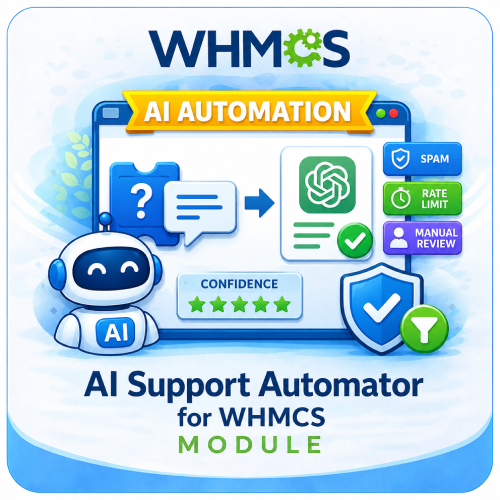
AI Support Automator is a WHMCS addon module that uses OpenAI to generate smart, context-aware support ticket replies with confidence scoring, safety filters, spam protection, rate limiting, and manual review controls.
- 7-Day Free Trial Access
- Multi-Level Technical Support
- One-Time Payment, No Recurring Fees
- Lifetime Owned License
- Instant Download After Purchase
- Latest WHMCS Compatible
Screenshots
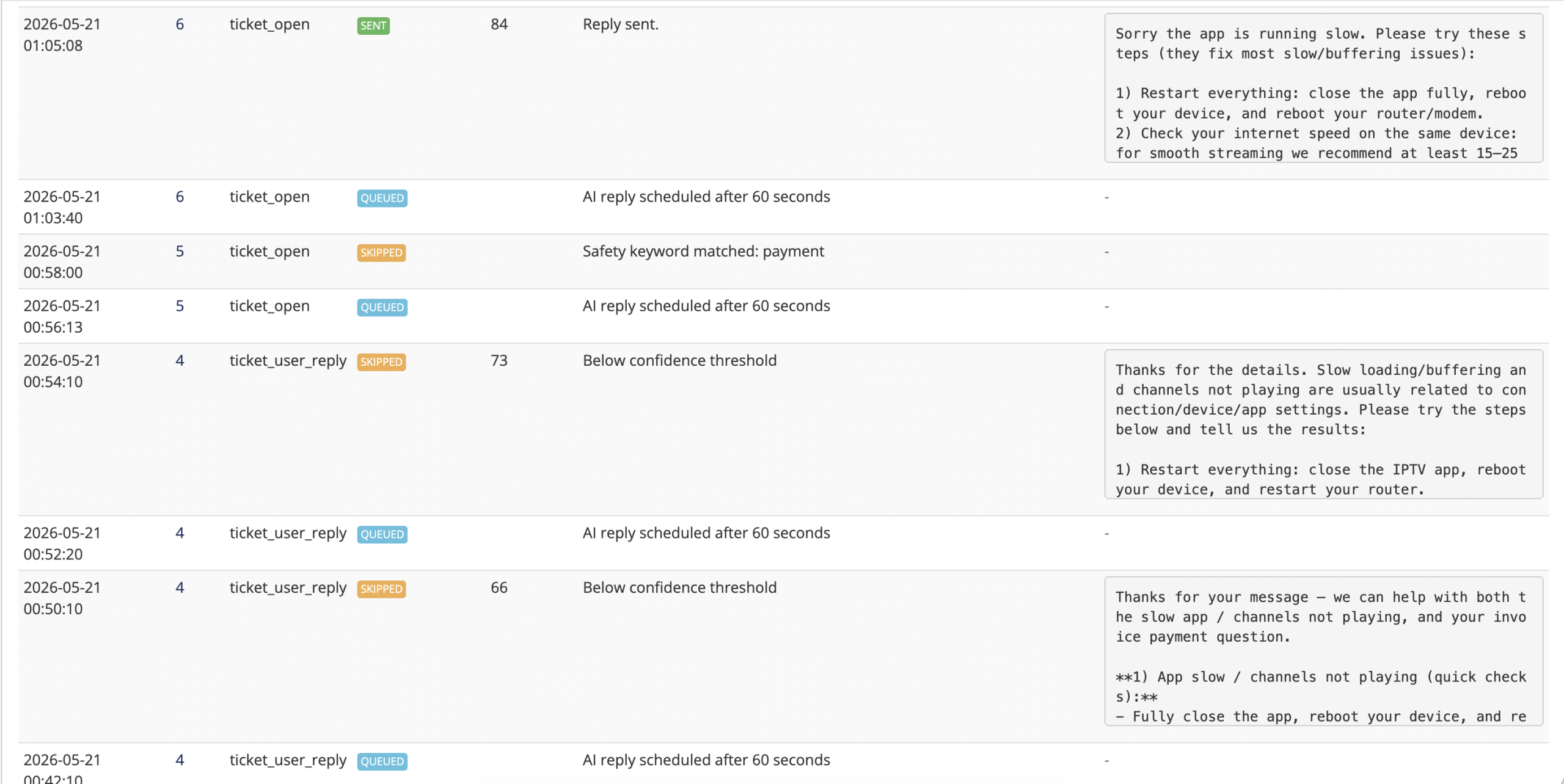
Description
AI Support Automator for WHMCS
AI Support Automator for WHMCS is an advanced AI-powered support ticket automation module designed to help WHMCS businesses generate smart, safe, and context-aware ticket replies using OpenAI.
This module is especially useful for IPTV, streaming, hosting, and digital service businesses where support teams handle repetitive customer questions every day.
It helps reduce manual workload, improve response time, and maintain support quality by generating AI replies based on ticket content, client service context, WHMCS knowledgebase articles, and IPTV-specific troubleshooting logic.
Unlike basic AI reply tools, AI Support Automator includes confidence scoring, safety filters, delayed queue processing, spam detection, rate limiting, privacy protection, editable drafts, logs, and admin controls.
Key Features:
AI-Powered Ticket Replies
- Generate AI-based replies for WHMCS support tickets
- Automatic reply generation for new tickets and customer replies
- Manual AI draft generation from admin area
- Editable AI draft before sending
- Send reviewed replies directly from WHMCS
- Natural and professional customer support tone
Confidence-Based Automation
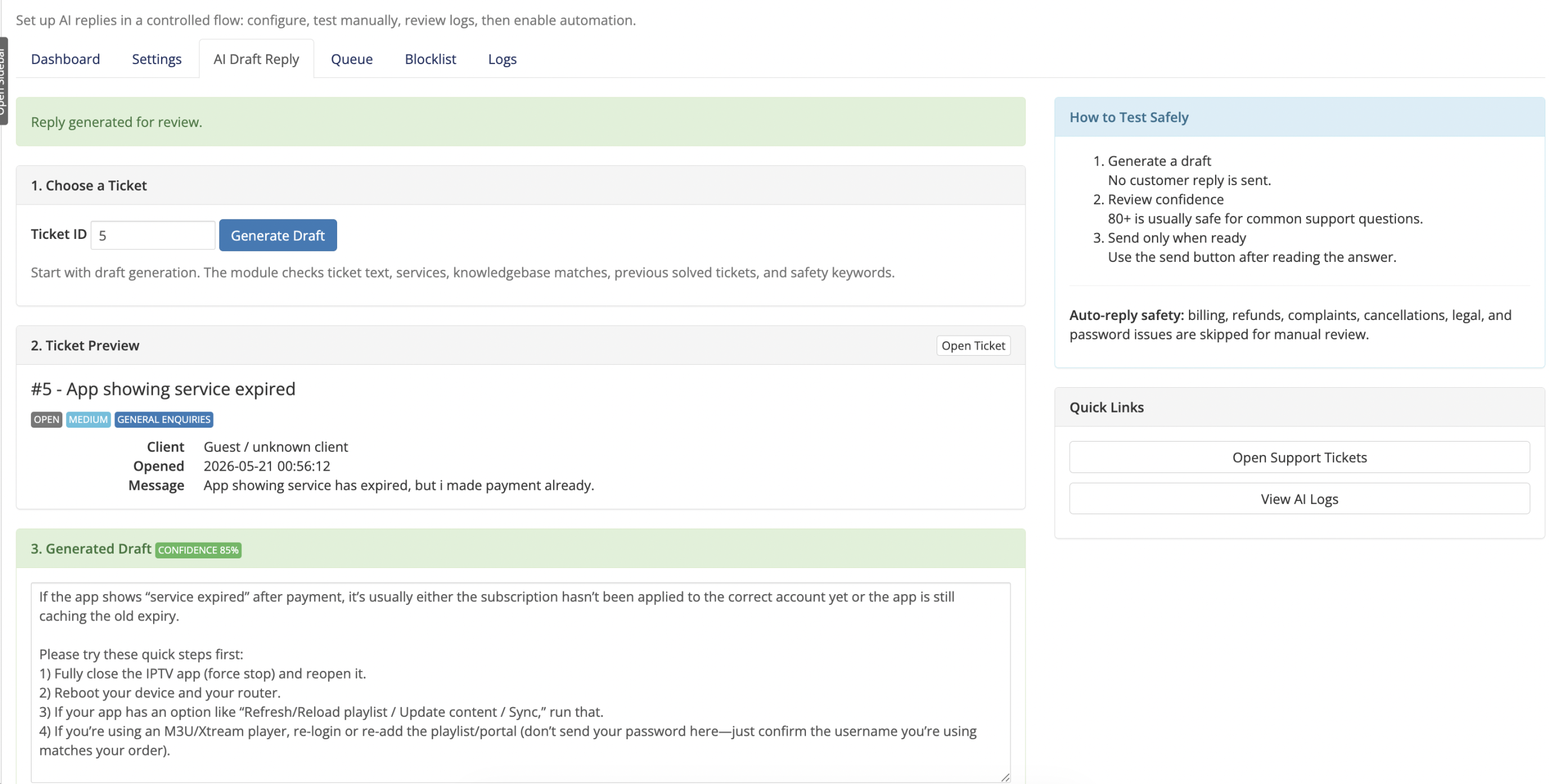
- AI-generated replies include a confidence score
- Auto-replies are sent only above the configured confidence threshold
- Low-confidence tickets are skipped for manual review
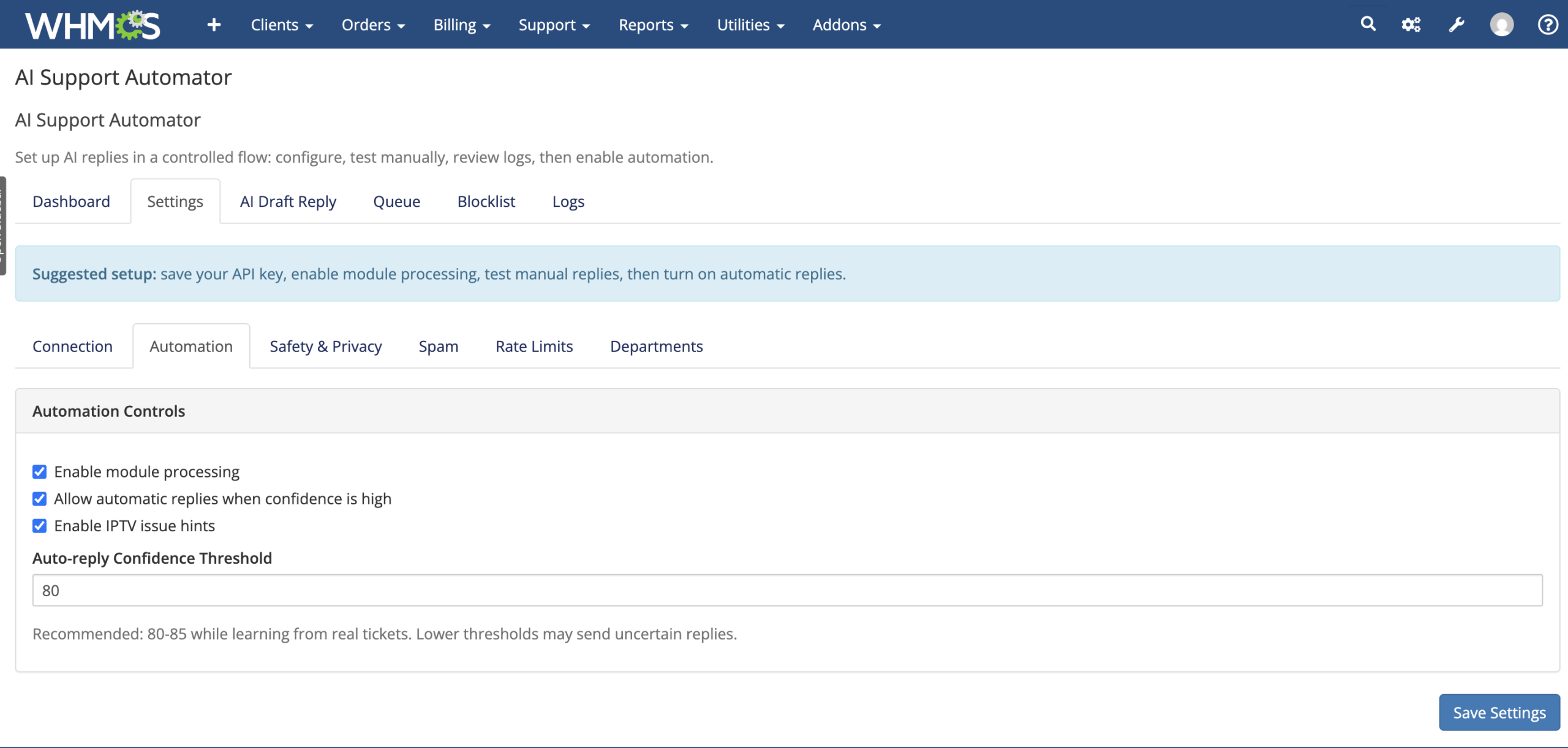
- Admins can configure confidence threshold from module settings
- Helps prevent uncertain or incorrect automatic responses
IPTV-Specific Support Intelligence
- Designed with IPTV and streaming support workflows in mind
- Handles common IPTV issues such as buffering and freezing
- Supports app/player setup troubleshooting
- Helps with login, playlist, portal, and connection issues
- Guides customers through VPN, network, and device compatibility checks
- Prioritizes IPTV business needs without exposing internal logic to customers
WHMCS Context Awareness
- Uses current ticket subject and customer message
- Uses current client service and product context
- Uses matching WHMCS knowledgebase articles
- Does not reply blindly without relevant context
- Improves reply accuracy and customer relevance
Manual AI Draft Reply System
- Generate AI replies manually by entering a ticket ID
- View ticket preview before sending
- Edit generated AI draft before sending
- Send the final approved reply directly to the customer
- Manual draft replies do not require cron processing
- Perfect for support agents who want AI assistance without full automation
Delayed Queue-Based Auto Replies
- Automatic replies are queued before sending
- Configurable delay before AI auto-reply runs
- Prevents instant robotic replies
- Allows customers time to add more information before AI responds
- Custom cron job processes queued AI replies
- Queue monitor included in admin area
Custom Cron Processor
- Dedicated cron file for processing AI reply queue
- Recommended cron schedule: every 1 minute
- Does not depend on WHMCS AfterCronJob hook
- More reliable queue handling for production use
- Cron command displayed directly in module dashboard
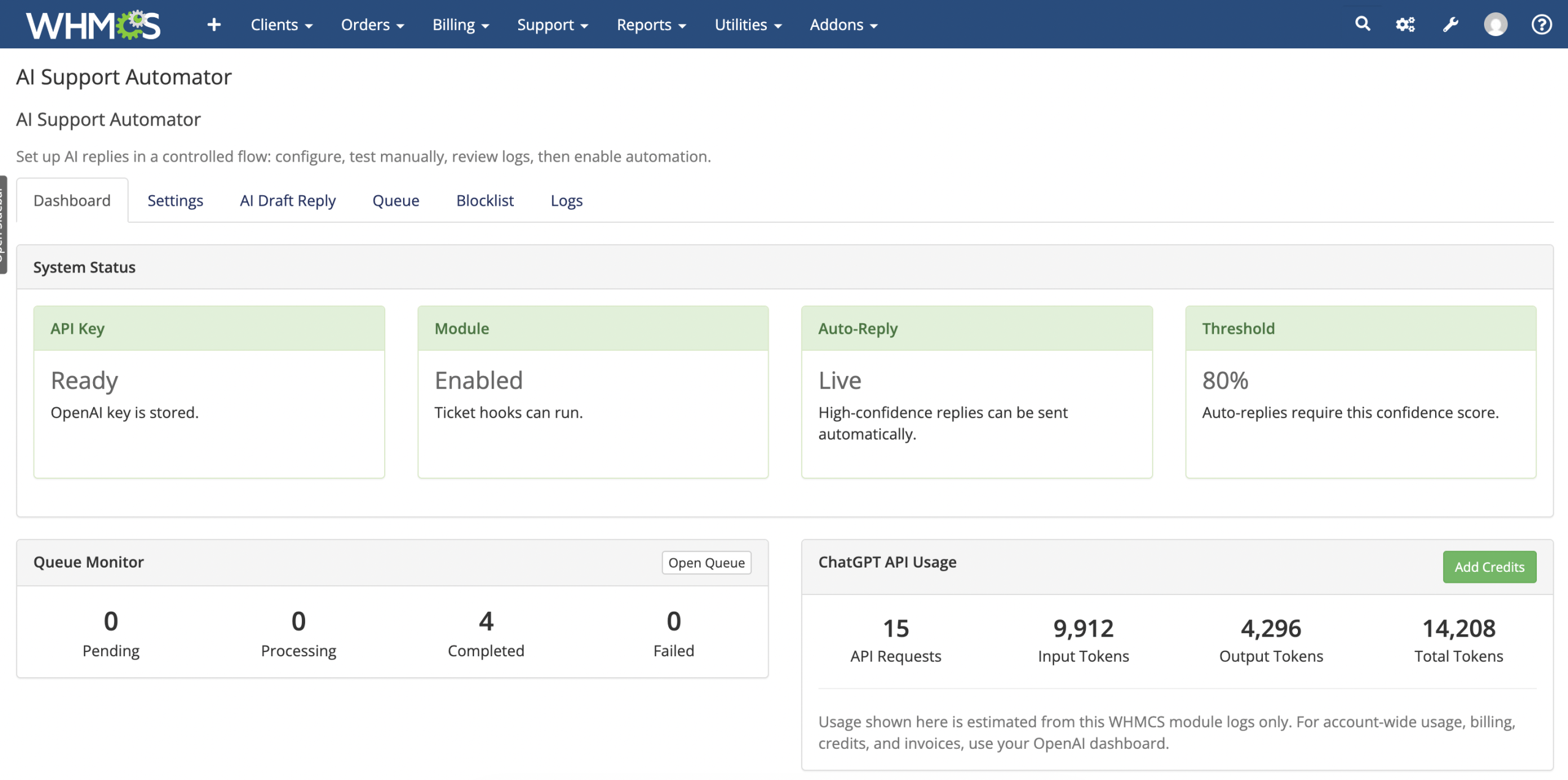
Queue Monitor
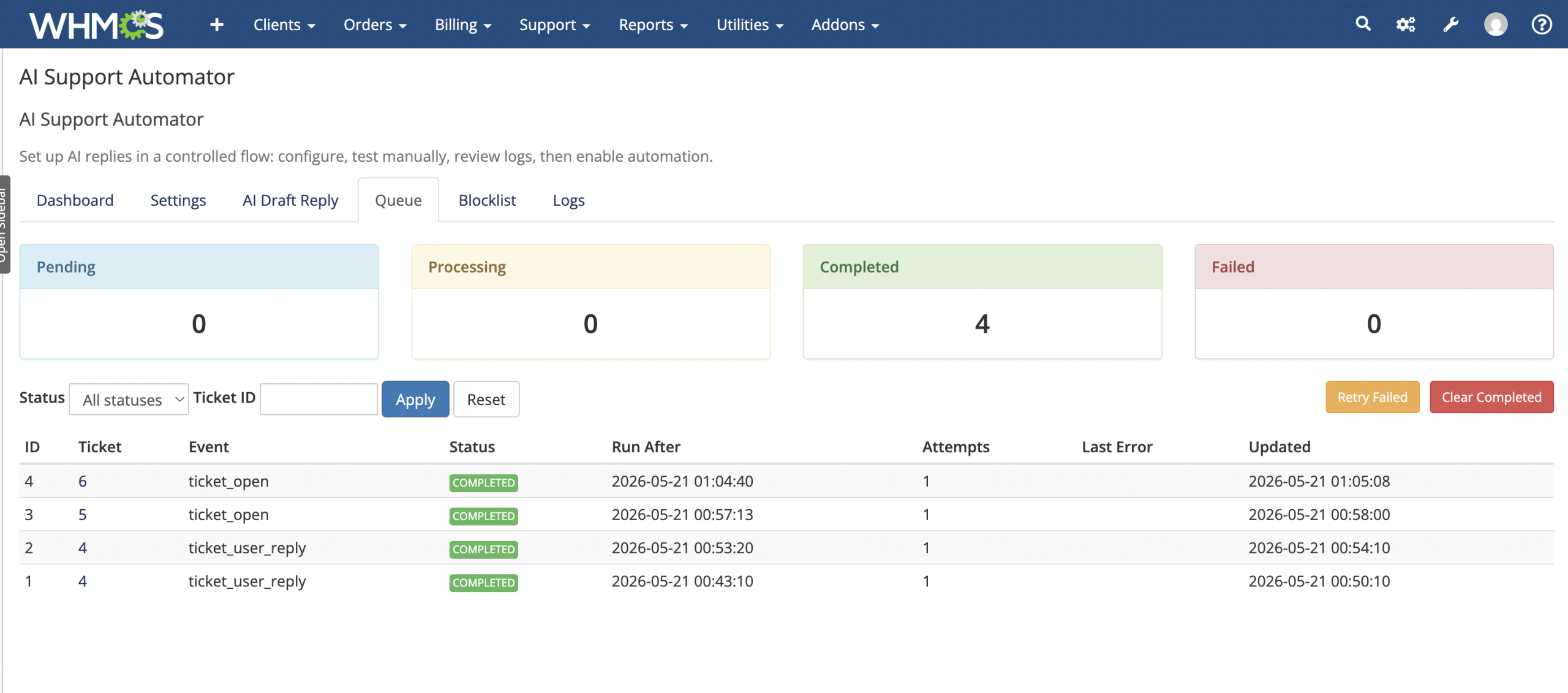
- View pending AI replies
- View processing queue items
- View completed queue items
- View failed queue items
- Retry failed queue items
- Clear completed queue records
- Filter queue by status and ticket ID
Spam Protection & Blocklist
- Automatically detects likely spam tickets
- Blocks spam before any OpenAI API request is made
- Helps protect OpenAI credits from spam abuse
- Automatically closes spam tickets
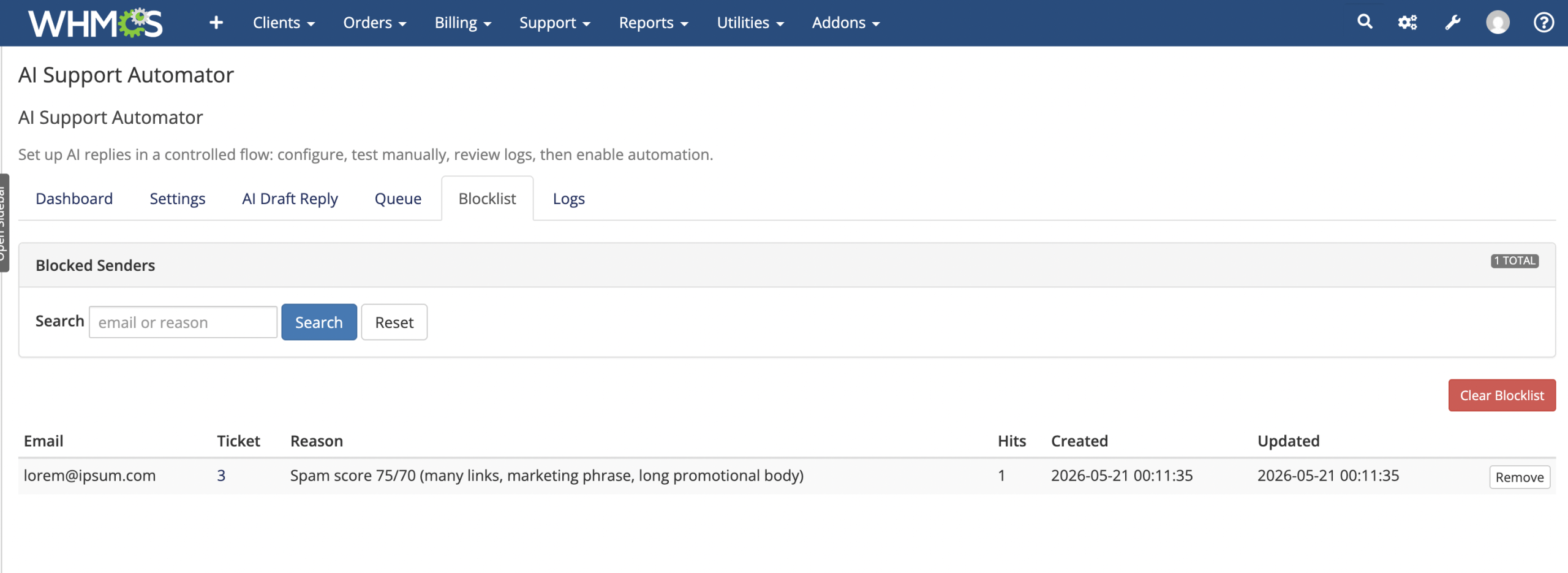
- Adds spam sender email to module blocklist
- Tracks blocklist hit count
- Admin blocklist management page included
- Remove individual blocked senders
- Clear full blocklist when needed
Rate Limiting for Credit Protection
- Limit AI attempts per ticket per hour
- Limit AI attempts per client or email per hour
- Cooldown between AI attempts on the same ticket
- Helps prevent customers from abusing OpenAI credits
- Rate-limited tickets are logged clearly
- Manual admin draft generation is not rate limited
Safety Filters
- Skip sensitive tickets automatically
- Exclude billing-related tickets from AI auto-replies
- Exclude payment-related tickets from AI auto-replies
- Exclude refund and chargeback requests
- Exclude legal, complaint, cancellation, and password-related tickets
- Safety keywords are configurable from admin settings
- Prevents AI from handling sensitive account or financial issues
Privacy Protection
- Redacts sensitive data before sending context to OpenAI
- Redacts emails, URLs, domains, IP addresses, and login values
- Redacts passwords, API keys, tokens, and verification codes
- Redacts card numbers and bank details
- Redacts abusive or vulgar customer language
- Does not send admin or staff replies to OpenAI
- Does not send other clients’ ticket data
- Does not send other clients’ service information
- Internal WHMCS service IDs are not exposed
Professional Tone Handling
- Keeps replies polite and professional
- Does not repeat abusive or vulgar customer language
- Handles angry customer messages calmly
- Focuses on solving the support issue without escalating tone
- Maintains a consistent support experience
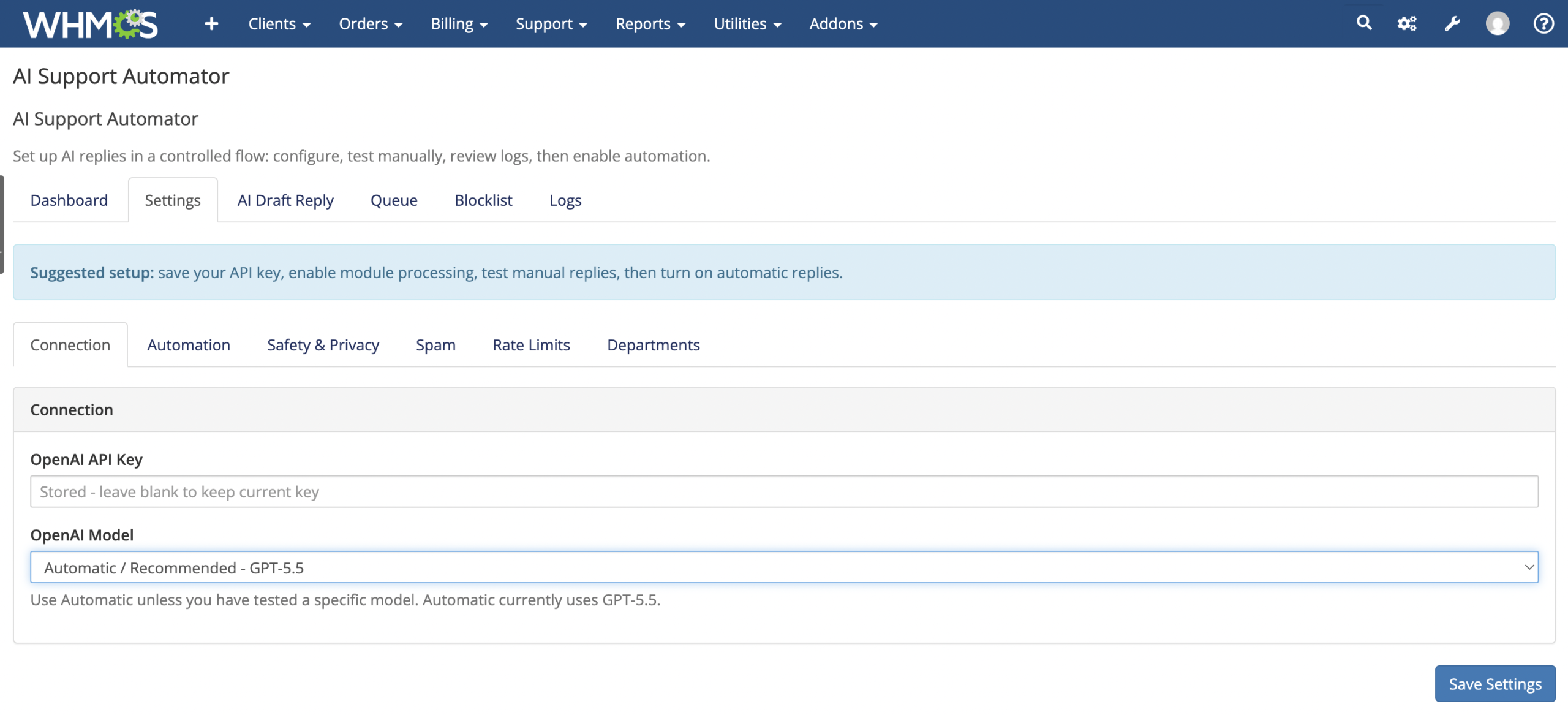
OpenAI Model Selection
- Select OpenAI model from admin dropdown
- Automatic recommended model option available
- Supports GPT model selection without typing model names manually
- Prevents model name mistakes in configuration
ChatGPT API Usage Snapshot
- View module-tracked API requests
- View input token usage
- View output token usage
- View total token usage
- Add Credits button links to OpenAI billing dashboard
- Helps admins monitor AI usage from inside WHMCS
Advanced Logging System
- Logs generated AI replies
- Logs sent replies
- Logs skipped replies
- Logs confidence scores
- Logs spam-blocked tickets
- Logs rate-limited events
- Logs failure reasons and errors
- Filter logs by status, ticket ID, and search keyword
- Advanced pagination included
- Delete all logs option included
Admin Dashboard
- View module status at a glance
- View API key status
- View auto-reply status
- View confidence threshold
- View queue summary
- View API usage summary
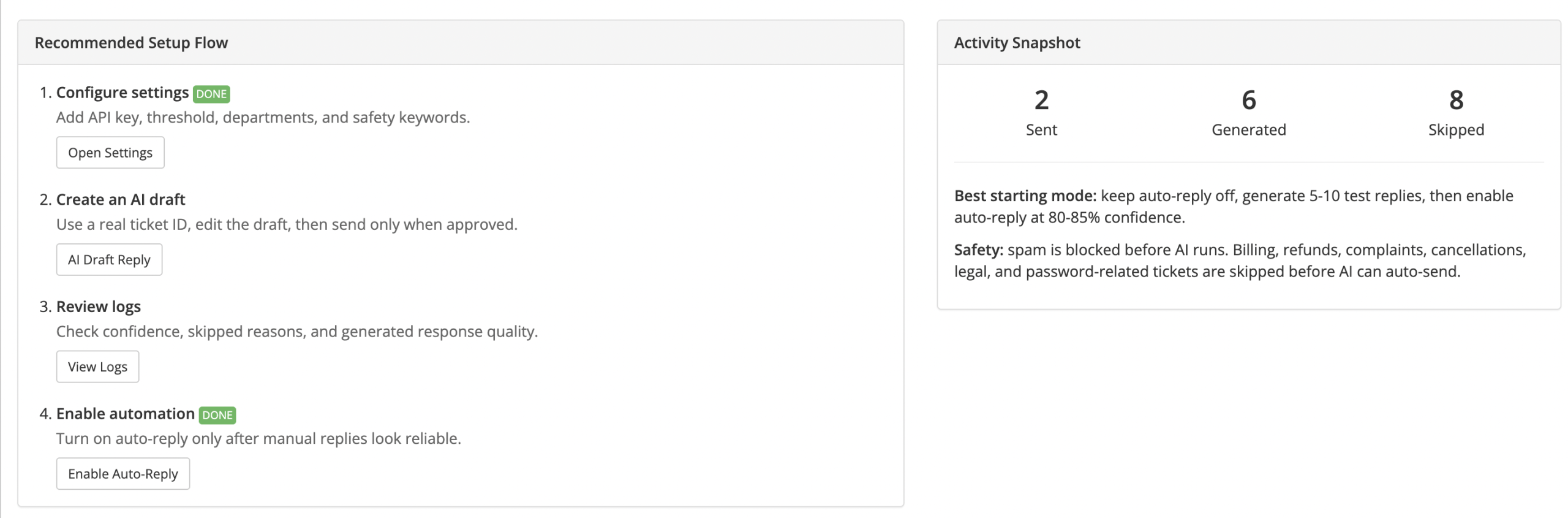
- View setup flow and activity snapshot
- Access queue, logs, settings, and draft reply tools easily
Organized Admin Settings
- Clean tab-based settings layout
- Connection settings
- Automation settings
- Safety and privacy settings
- Spam protection settings
- Rate limit settings
- Department exclusion settings
Department-Level Controls
- Disable auto-replies for selected WHMCS departments
- Useful for billing, abuse, complaints, or sensitive departments
- Keeps automation focused on suitable support areas
Use Cases
- Automatically reply to common IPTV support tickets
- Generate support responses for buffering or freezing issues
- Help customers with app/player setup problems
- Handle IPTV login or portal issues
- Assist customers with playlist or channel loading problems
- Guide customers through network, VPN, and device troubleshooting
- Provide AI-assisted draft replies for support agents
- Reduce repetitive ticket workload
- Improve first-response time
- Keep sensitive billing and payment tickets under manual review
- Prevent spam tickets from consuming OpenAI credits
Perfect For
- IPTV service providers
- Streaming support businesses
- WHMCS-based hosting companies
- Digital subscription businesses
- Support teams handling repetitive technical tickets
- Businesses that want AI automation with human control
Why Choose AI Support Automator
- Built specifically for WHMCS support workflows
- Designed with IPTV support use cases in mind
- Combines automation with admin control
- Safer than blind AI auto-reply systems
- Confidence-based reply control
- Strong privacy and safety protections
- Spam and rate-limit protection to control API cost
- Manual draft editing before sending
- Queue-based delayed replies for a more natural support experience
- Professional logs, queue monitor, and blocklist tools
Requirements
- WHMCS installation
- OpenAI API key
- PHP compatible with your WHMCS version
- Server cron access for automatic queued replies
- WHMCS cron/system environment properly configured
Recommended Setup
- Add your OpenAI API key
- Select the recommended OpenAI model
- Keep auto-reply disabled during initial testing
- Generate and review manual AI draft replies first
- Set confidence threshold around 80-85
- Configure custom cron to run every minute
- Enable spam protection and rate limiting
- Enable auto-reply after testing normal, spam, and sensitive tickets
Support
Professional support is available for installation, configuration, testing, and custom enhancements.
Future customizations can include multilingual replies, department-specific AI rules, advanced analytics, safe holding replies for sensitive tickets, AI context preview, and deeper knowledgebase ranking.