Description
Modexa WHMCS Theme
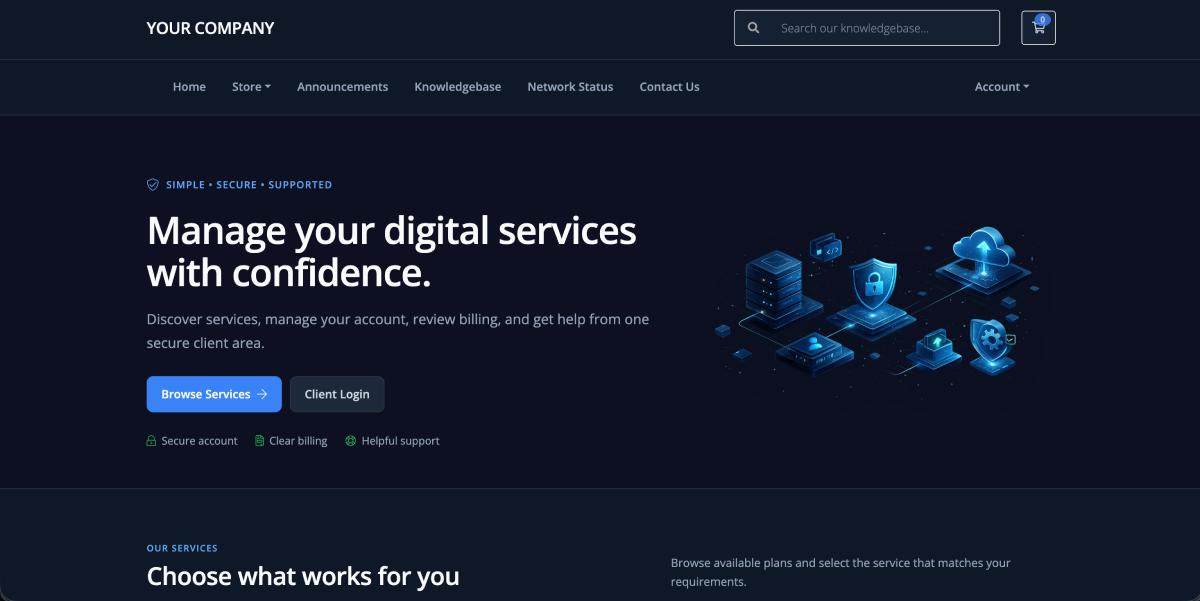
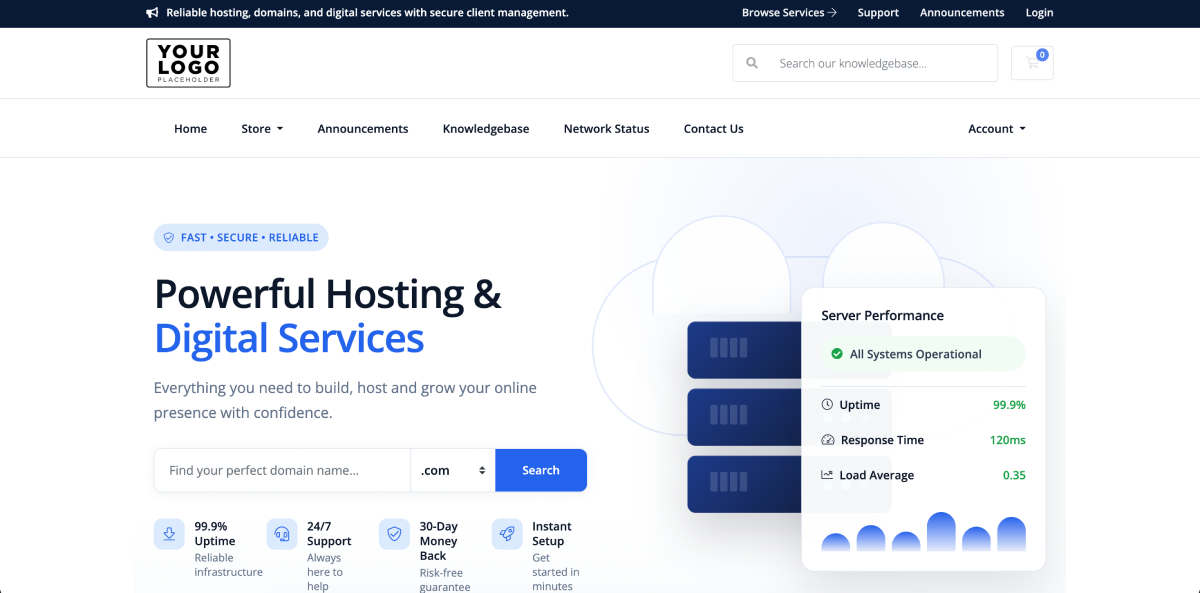
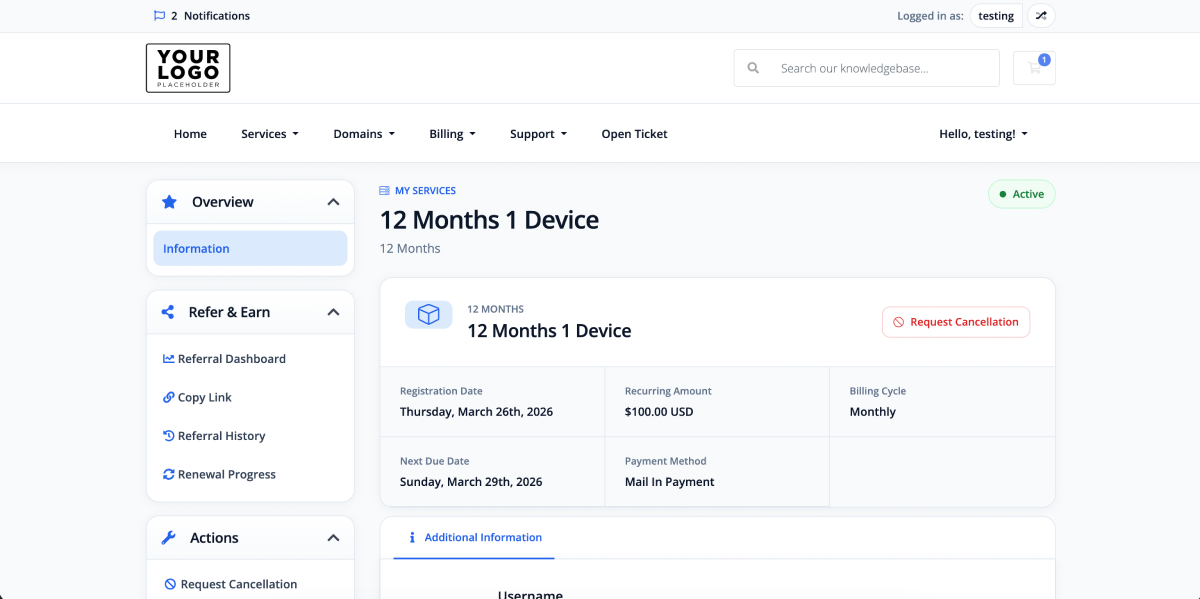
Modexa is a modern and professionally designed WHMCS theme created for hosting companies, IPTV providers, SaaS businesses, digital service providers, resellers, and other subscription-based businesses using WHMCS.
It combines a polished client area, responsive customer dashboard, matching order form, and dedicated Theme Manager addon to help you deliver a consistent and trustworthy customer experience across account management, billing, support, services, domains, and checkout.
Professional WHMCS Client Area Design
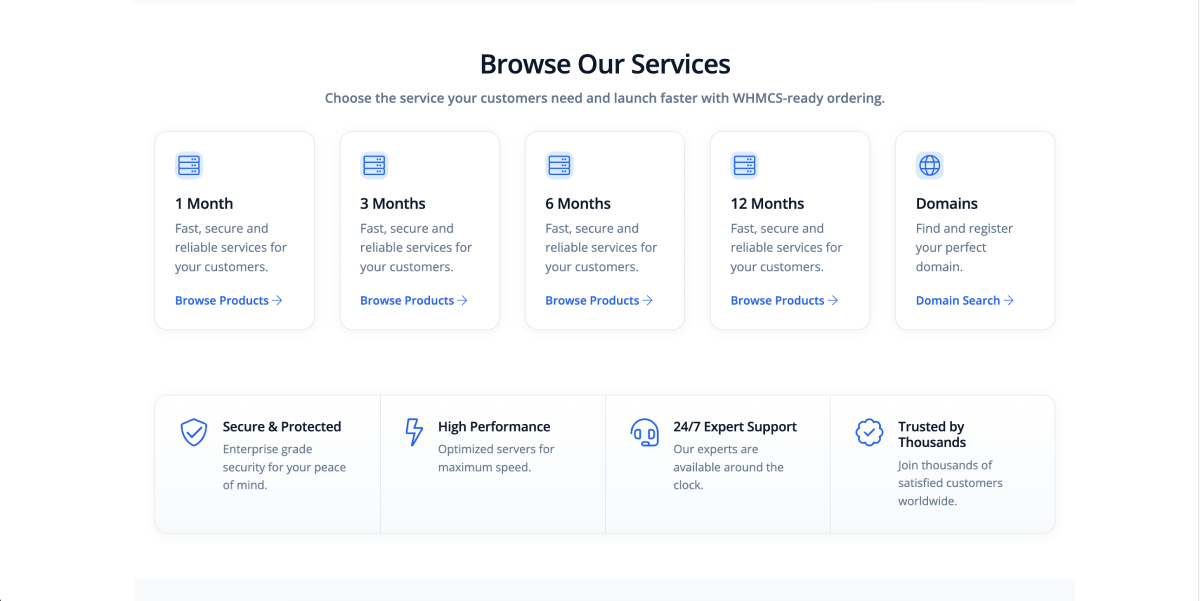
Modexa replaces the standard WHMCS appearance with a clean, premium interface built around clear navigation, structured content, readable account information, and consistent user-interface components.
Customers can access services, domains, invoices, support tickets, downloads, account details, and ordering tools through a responsive layout designed for desktop, tablet, and mobile devices.
Core Features
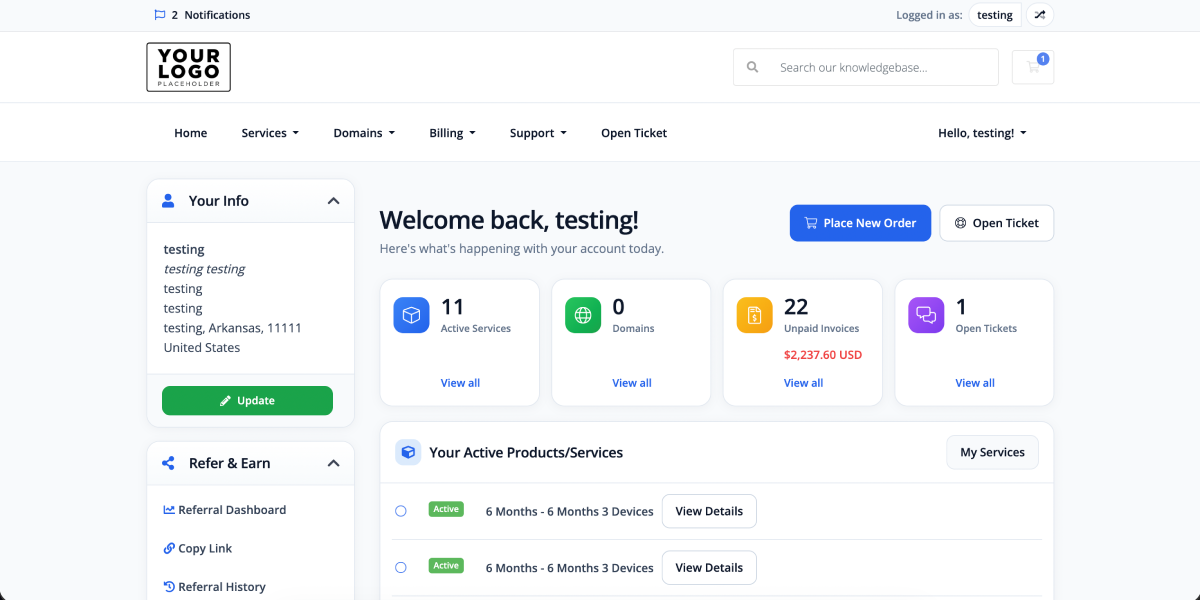
- Modern Client Dashboard: Present service, domain, invoice, and support-ticket counts through a clean account overview.
- Responsive Client Area: Deliver a practical customer experience across desktop, tablet, and mobile screens.
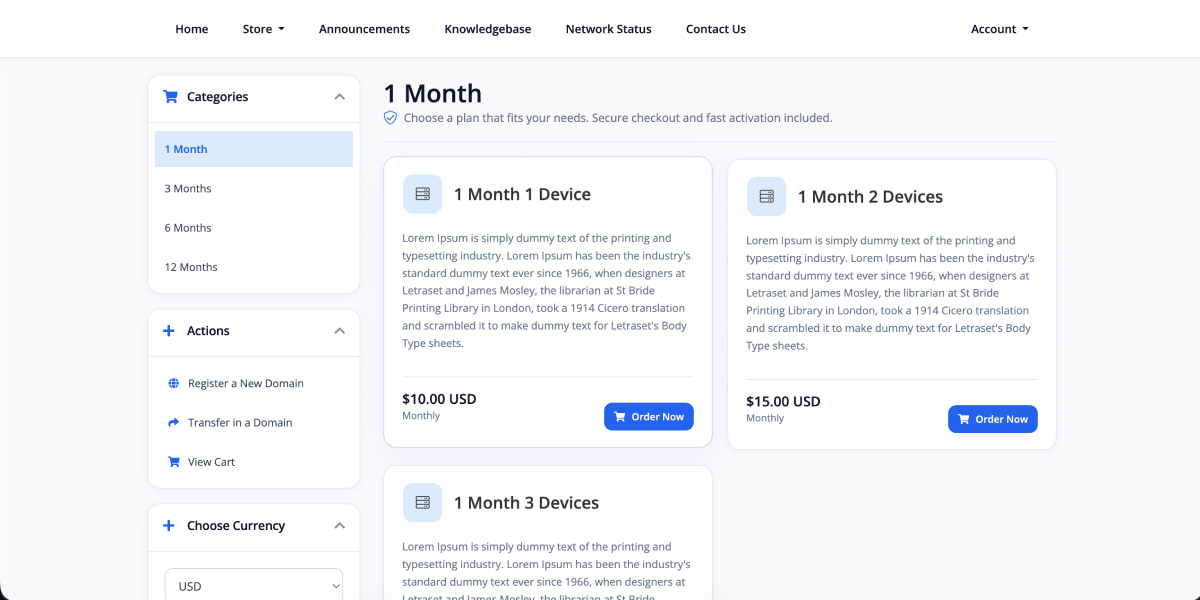
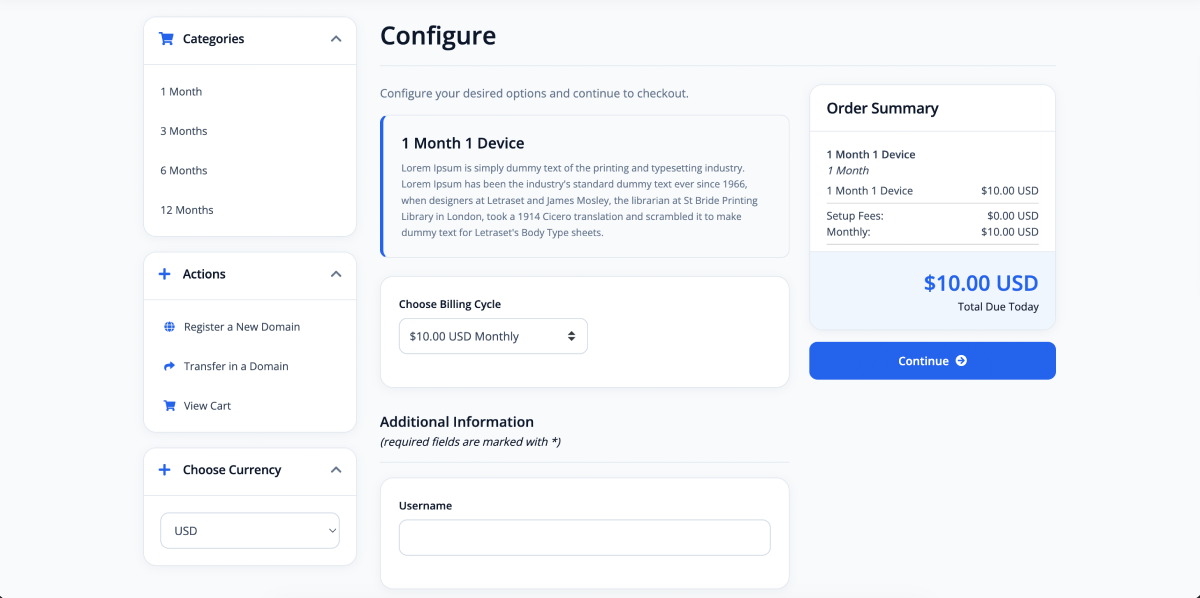
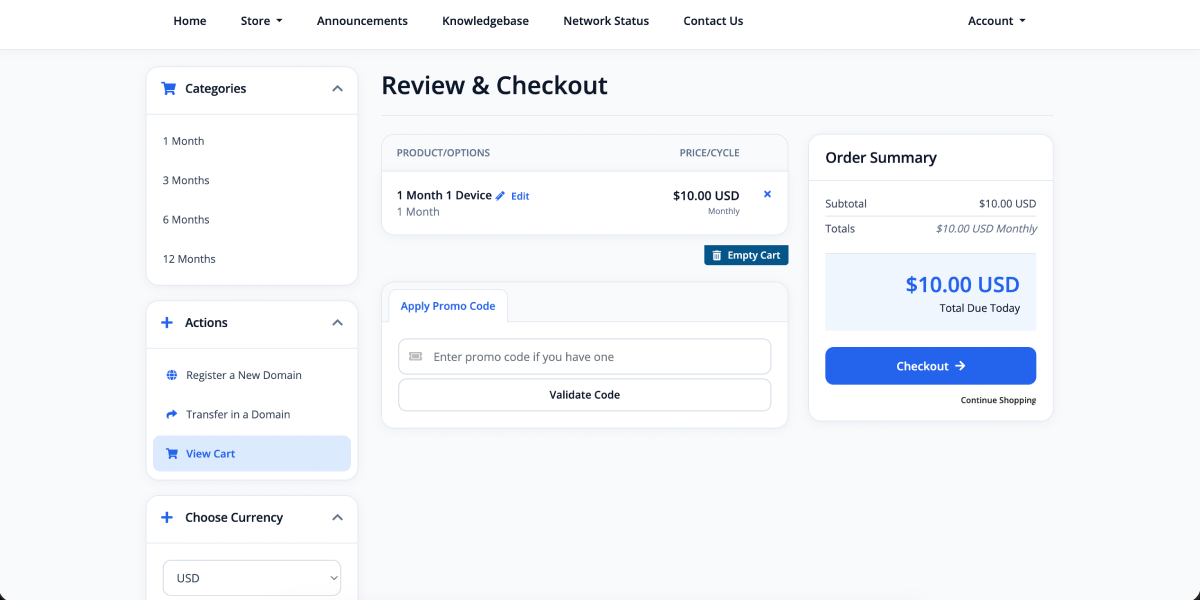
- Matching Order Form: Use a professionally styled product catalogue, configuration flow, cart, checkout, and order confirmation design.
- Consistent UI Components: Apply coordinated buttons, cards, tables, forms, badges, alerts, pagination, sidebars, and navigation throughout WHMCS.
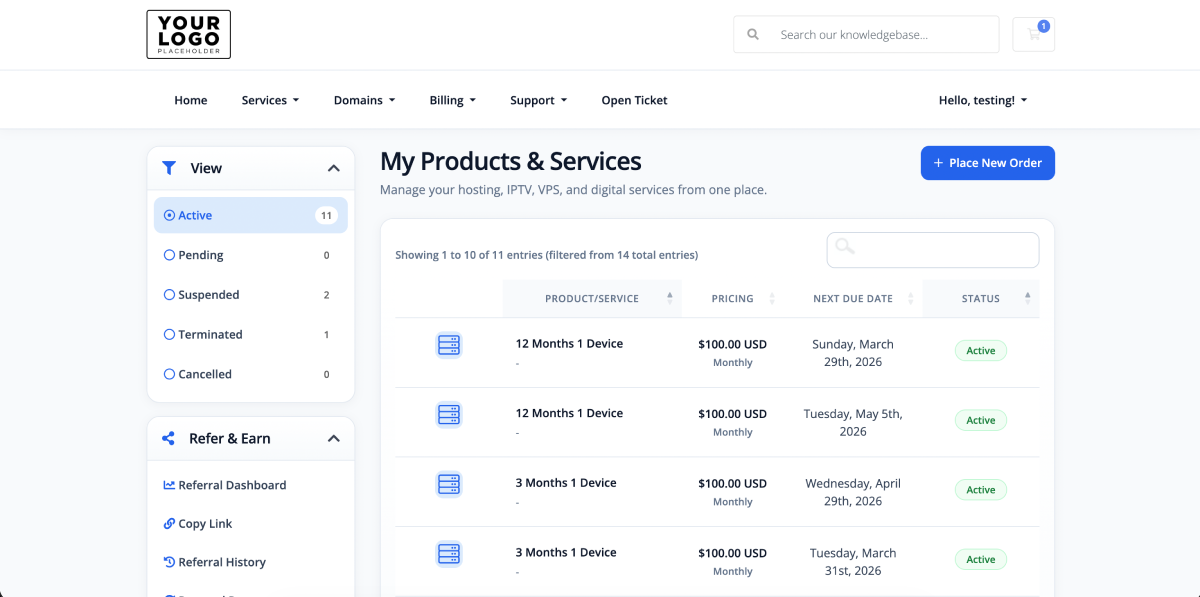
- Enhanced Service Management: Give customers a clearer way to view active products, service information, billing details, and available actions.
- Improved Billing Pages: Present invoices, payment information, account credit, and billing records through a structured interface.
- Support Experience: Style support tickets, announcements, downloads, and knowledgebase pages to match the rest of the client area.
- HTML and PDF Invoice Branding: Apply your selected invoice logo to browser invoices and downloadable PDF invoices.
- Custom Header and Footer: Manage announcement content, business information, navigation columns, social links, legal links, and payment badges.
- Theme Color Controls: Customize primary, hover, background, heading, text, border, success, and footer colors.
- Custom CSS Support: Add advanced styling adjustments without directly modifying the main theme stylesheet.
- Licensed Theme Manager: Manage activation and theme configuration from a dedicated WHMCS admin addon.
Complete Customer Account Experience
Modexa improves the visual presentation of the most important WHMCS customer workflows, including:
- Client dashboard and account overview
- Products and active services
- Service details and available actions
- Domain registration and domain management
- Invoices, billing history, and payments
- Support tickets and ticket submission
- Knowledgebase articles and announcements
- Downloads and account information
- Shopping cart and checkout
Matching Modexa Cart Order Form
The included Modexa Cart order form gives your product catalogue and checkout process the same visual identity as the client area.
It includes:
- Responsive product-category navigation
- Professional product and bundle cards
- Clear pricing and billing-cycle presentation
- Product feature and description layouts
- Domain selection and configuration pages
- Product options, addons, and configurable fields
- Cart review and order summary
- Customer registration and checkout forms
- Configurable support box and trust messages
- Secure checkout, money-back, and activation highlights
Modexa Theme Manager
The included WHMCS admin addon lets you manage important theme settings without opening or editing template files.
Branding Management
- Business display name
- Header logo
- Footer logo
- Favicon
- HTML and PDF invoice logo
- Image upload, preview, replacement, and removal
Header Management
- Enable or disable the announcement bar
- Announcement message
- Primary action label and URL
- Support and announcements labels
Footer Management
- Business description
- Products, Company, Resources, and Support columns
- Custom footer link labels and URLs
- Social profile links
- Privacy policy and terms links
- Payment badges
Color Management
- Primary and hover colors
- Light accent color
- Heading, body, and muted text colors
- Main and section backgrounds
- Border and success colors
- Footer bottom background
- Optional custom CSS
Order Form Management
- Support box visibility and content
- Support button label and URL
- Default product-group introduction
- Bundle label
- Trust strip visibility and content
- Secure checkout, money-back, and activation text
Designed for Different WHMCS Businesses
Modexa uses a professional blue, white, and neutral color system that can be adapted to different industries without making the theme specific to one type of product.
It is ideal for:
- Web hosting companies
- VPS and server providers
- Domain registration businesses
- IPTV and OTT providers
- Software and SaaS businesses
- Digital subscription services
- Reseller businesses
- Agencies and managed service providers
Responsive and Practical Design
The interface is built for real customer account workflows rather than a marketing-only appearance. Layouts, tables, forms, navigation, sidebars, cards, and action buttons are adapted for smaller screens while keeping important account information easy to access.
What Is Included
- Modexa WHMCS client-area theme
- Modexa Cart order form template
- Modexa Theme Manager addon
- Branding and color management tools
- Header and footer management
- Orderform content controls
- HTML and PDF invoice logo support
- Installation and usage documentation
- Free installation service
What You Need to Provide
To install and activate Modexa, please provide:
- An active and working WHMCS installation
- WHMCS administrator access
- Hosting control panel, FTP, or file-manager access
- Your Modexa license key
- Your business name and logo if you want them added during installation
- A recent backup of your WHMCS files and database
Free Installation Service Included
Professional Theme Installation – Free
- Theme Upload: We upload the Modexa client-area theme to your WHMCS installation.
- Order Form Installation: We install and select the matching Modexa Cart order form.
- Addon Installation: We install and activate the Modexa Theme Manager addon.
- License Activation: We enter and verify your supplied Modexa license key.
- Theme Selection: We configure WHMCS to use Modexa as the client-area theme.
- Basic Branding: We can add your supplied header, footer, favicon, and invoice logos.
- Template Cache: We clear the WHMCS template cache after installation.
Installation Notes: Free installation covers the Modexa theme, matching order form, Theme Manager addon, license activation, and supplied logo integration. It does not include WHMCS installation, server migration, product creation, package pricing, content writing, third-party module customization, custom development, or changes outside the standard Modexa settings.
No WordPress, SEO, search-console, analytics, or separate website setup is required for this WHMCS theme.
Requirements
- A licensed and supported WHMCS installation
- Access to install a WHMCS theme, order form, and addon module
- A valid Modexa license
- A writable WHMCS assets directory for direct branding-image uploads
- A backup before installation or update
Important Information
- WHMCS software and the WHMCS license are not included.
- Hosting, domain registration, products, payment gateways, and third-party modules are not included.
- Product names, descriptions, pricing, billing cycles, and stock are managed through the normal WHMCS product settings.
- Compatibility styling for custom third-party modules may require separate development.
- Uploaded logos and business content must be supplied by you and properly licensed for your use.
Conclusion
Modexa WHMCS Theme provides a complete visual upgrade for businesses that want a modern client area and matching checkout experience without rebuilding WHMCS from the beginning. Its responsive interface, coordinated order form, configurable branding, editable navigation, color controls, invoice branding, and dedicated Theme Manager help you create a more professional and consistent customer experience.
With free installation included, Modexa can be installed, activated, and prepared for your branding without requiring WordPress, SEO services, or a separate website setup package.