WHMCS MODULES

logo
Menu
  • Home
  • ABOUT US
  • OUR PRODUCTS
    • ALL PRODUCTS
    • WHMCS ADDONS
    • WHMCS OTT MODULES
    • WHMCS PAYMENT GATEWAYS
    • WEB PLAYER
    • WHMCS Client Area Themes
    • WordPress OTT Themes
  • OUR SERVICES
  • CONTACT US
  • CLIENT AREA
logo
HOME ABOUT US
ALL PRODUCTS WHMCS ADDONS WHMCS OTT MODULES WHMCS PAYMENT GATEWAYS WEB PLAYER WHMCS CLIENT AREA THEMES WORDPRESS OTT THEMES
OUR SERVICES CONTACT US CLIENT AREA
Home / WHMCS Addons / Spam Controller for WHMCS
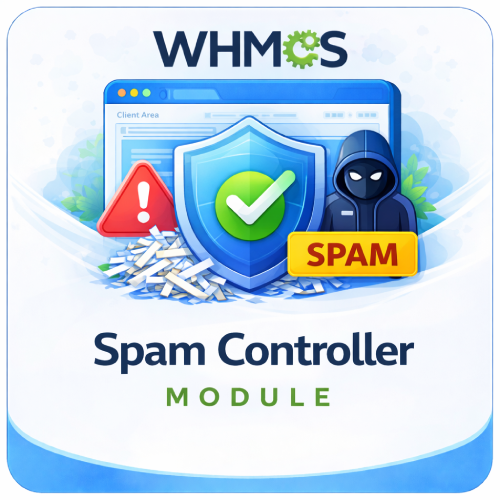
Spam Controller for WHMCS

Spam Controller for WHMCS

$99.00 USD

The Spam Controller For WHMCS blocks listed email domains, prohibited keywords, links in client fields, and excessive registrations from the same IP address.

Included:

  • 7-Day Free Trial Access
  • Multi-Level Technical Support
  • One-Time Payment, No Recurring Fees
  • Lifetime Owned License
  • Instant Download After Purchase
  • Latest WHMCS Compatible
Category: WHMCS Addons Tags: checkout protection, email domain blocking, fake account blocker, IP signup limit, keyword blacklist, registration security, spam signup protection, URL filtering, WHMCS addon, WHMCS spam controller
  • Description
  • FAQs

Description

Product Description

The Spam Controller For WHMCS adds configurable client-data validation to help prevent fake registrations, spam content, suspicious email domains, and repeated account creation from the same IP address.

When client details are submitted, the module checks the email domain against your blocklist, scans submitted text for prohibited keywords and web links, and compares the visitor’s IP address with recently created WHMCS client accounts.

Suspicious submissions are rejected with a clear validation message and recorded in the module’s activity log, giving administrators a straightforward way to strengthen registration and checkout protection without modifying WHMCS templates.

How It Works

  1. Configure Protection: Enable email-domain blocking, keyword filtering, and IP registration limits from the addon settings.
  2. Add Blocked Domains: Enter email domains that should not be accepted during client validation.
  3. Client Submits Details: WHMCS passes the submitted client information through the module’s validation hook.
  4. Rules Are Checked: The module scans the email domain, submitted text, links, and recent registrations from the visitor’s IP.
  5. Suspicious Activity Is Blocked: Matching submissions receive a descriptive validation error and cannot continue until corrected.
  6. Attempt Is Logged: The date, IP address, email address, and reason are stored for admin review.

Key Features

  • Email Domain Blocking: Reject registrations and client submissions that use an email domain on your blocklist.
  • Manual Domain Management: Add or remove blocked email providers from the module administration area.
  • Keyword Filtering: Detect predefined spam-related terms across submitted client fields.
  • Link Protection: Block submitted text containing HTTP, HTTPS, or WWW-style web links.
  • IP Registration Limits: Restrict how many WHMCS client accounts can be created from one IP address.
  • Configurable Time Window: Define the number of minutes used when counting recent registrations.
  • Configurable Account Limit: Choose the maximum number of registrations permitted within the time window.
  • Automatic Validation Errors: Explain which submitted field or security rule caused the rejection.
  • Spam Activity Logging: Record blocked attempts with useful investigation details.
  • Admin Bypass: Skip validation when an authenticated WHMCS administrator is managing client details.

Blocked Email Domain Control

Maintain your own list of email domains that should not be used for new client details.

  • Add temporary-email, known spam, or unwanted provider domains manually.
  • Validate domain formatting before saving a new entry.
  • Prevent duplicate domains from being added to the list.
  • Browse blocked domains alphabetically with pagination.
  • Remove an existing domain when it should be accepted again.
  • Enable or disable the complete email-domain check without deleting stored entries.

Keyword and Link Filtering

  • Multi-Field Scanning: Check submitted scalar client fields instead of limiting protection to the email address.
  • Case-Insensitive Matching: Detect prohibited terms regardless of capitalization.
  • Spam Keyword Protection: Block built-in terms including spam, Viagra, casino, and free-money phrases.
  • URL Pattern Detection: Reject values containing http://, https://, or www..
  • Field-Specific Feedback: Identify the submitted field that contains prohibited content.
  • Independent Keyword Toggle: Turn keyword protection on or off from the settings page.

Registration Rate Limiting

Reduce repeated account creation by counting recently registered WHMCS clients associated with the same IP address.

  • Enable or disable IP-based registration protection.
  • Set the maximum number of allowed client accounts per IP.
  • Configure the counting period in minutes.
  • Block additional registration attempts after the maximum is reached.
  • Log the attempted email address and source IP for later review.

Spam Activity Logs

  • Date and Time: See when each blocked submission occurred.
  • IP Address: Identify the source address associated with the attempt.
  • Email Address: Review the email submitted during validation.
  • Block Reason: Distinguish domain, keyword, link, and IP-limit events.
  • Paginated History: Browse larger activity histories in manageable pages.
  • Clear Logs: Remove all stored spam activity records through a confirmed admin action.

Administrator Features

  • Manage settings, blocked domains, and activity logs through separate admin tabs.
  • Enable or disable domain, keyword, and IP-limit protection independently.
  • Configure registration limits without editing the WHMCS core.
  • Add and remove email domains using a simple management form.
  • Review the reason behind every logged rejection.
  • Protect configuration actions with WHMCS admin security tokens.

Business Benefits

  • Maintain a Cleaner Client Base: Reduce accounts created with known unwanted email providers.
  • Block Spam Content: Prevent links and common promotional spam phrases from entering client data.
  • Slow Automated Signups: Limit repeated registration activity from one IP address.
  • Reduce Manual Cleanup: Reject suspicious submissions before they become stored client accounts.
  • Improve Visibility: Keep a searchable operational record of blocked activity.
  • Use Native WHMCS Validation: Apply protection through WHMCS hooks without replacing client-area templates.

Ideal For

  • Web hosting and reseller hosting companies
  • SaaS and subscription-based platforms
  • Digital agencies and online service providers
  • Businesses affected by fake or repeated signups
  • WHMCS installations receiving spam links in client fields
  • Any business seeking configurable registration validation

Why Choose Spam Controller For WHMCS?

Spam Controller combines several practical validation layers in one focused addon. It lets you manage unwanted email domains, stop common spam text and links, limit rapid account creation, and review rejected attempts from a central admin area.

By applying these checks during WHMCS client-data validation, the module helps reduce fake accounts and unwanted content before they create additional administrative work.


What does Spam Controller for WHMCS do?

It helps block spam signups, fake accounts, suspicious form submissions, and unwanted orders during WHMCS registration and checkout.

Is this module compatible with the latest WHMCS version?

Yes, the module is compatible with the latest supported WHMCS version.

Is this module compatible with current PHP versions?

Yes, it supports the PHP versions compatible with the latest WHMCS release.

When does the module check customer information?

It checks supported form data during important WHMCS processes such as account registration and ordering.

Does the module work automatically?

Yes, it applies the configured filtering rules automatically in the background.

Can it block suspicious email domains?

Yes, you can block temporary, disposable, or known spam email domains.

Can I create my own blocked-domain list?

Yes, administrators can add email domains that should not be allowed.

Can individual email addresses be blocked?

The confirmed feature focuses on domain-level blocking. Individual-address blocking should only be claimed if available in your installed version.

Does it automatically identify every disposable email provider?

No blacklist can remain complete forever, so administrators should update the configured domains when required.

Can it verify whether a mailbox exists?

Mailbox validation is not part of the confirmed feature set. This module primarily applies configured spam-control rules.

Can it block URLs submitted in form fields?

Yes, URL filtering can stop submissions containing configured links or domains.

Can I block specific website addresses?

Yes, suspicious or unwanted URLs can be added to the filter rules.

Can URL filtering help prevent profile and form spam?

Yes, blocking common spam URLs can reduce abusive or promotional submissions.

Can the module block specific words?

Yes, the keyword blacklist can reject submissions containing configured restricted words.

Can I add my own keywords?

Yes, the restricted-word list can be customized for your business.

Is keyword matching case-sensitive?

Matching behavior depends on the implementation in the installed module version.

Can it block phrases as well as individual words?

Phrase blocking depends on how blacklist entries are processed by the installed version.

Can keyword rules be used to block abusive content?

Yes, restricted terms can help stop common abusive or spam content in supported fields.

Can legitimate customers be blocked by a broad keyword?

Yes, overly general terms can create false positives, so blacklist entries should be chosen carefully.

Can registrations be limited by IP address?

Yes, you can limit how many accounts may be created from one IP address.

Why should I limit signups per IP?

It helps reduce automated account creation and repeated registrations from a single source.

Can I choose the maximum number of signups per IP?

Yes, the allowed signup count can be configured according to your requirements.

Does an IP limit permanently block an address?

The duration and reset behavior depend on the options included in the installed module version.

Can shared networks cause false positives?

Yes, offices, schools, VPNs, mobile networks, and public connections may place multiple legitimate users behind one IP.

Can IPv6 addresses be checked?

IPv6 support depends on the installed module’s IP-processing implementation and your WHMCS environment.

Does the module block VPNs or proxies?

VPN and proxy detection is not included in the confirmed feature set for Spam Controller.

Does the module use device fingerprinting?

No device-fingerprinting feature was confirmed for this module.

Does it assign a fraud-risk score?

No, it uses configured filtering and blocking rules rather than the risk-scoring workflow of a fraud module.

Can suspicious attempts be denied automatically?

Yes, submissions that match configured rules can be rejected automatically.

Does the module record blocked attempts?

Yes, denied activity is stored in logs for administrator review.

What information can appear in the logs?

Logs can include available details about the blocked attempt, triggered rule, and related registration or order activity.

Can administrators review why a signup was blocked?

Yes, logging helps identify the rule that caused the denial.

Can logs be searched or filtered?

Search and filtering should only be advertised if included in your installed module interface.

Can administrators clear old logs?

Log-management controls depend on the installed module version.

Does the module delete existing spam accounts?

No, its main purpose is to prevent suspicious registrations and orders before they are accepted.

Can it scan existing WHMCS clients?

Existing-account scanning is not part of the confirmed functionality.

Can it prevent automated bot registrations?

Yes, filtering rules and IP signup limits can reduce automated signups.

Does it include CAPTCHA?

CAPTCHA functionality is not part of the confirmed feature set.

Can it work alongside WHMCS CAPTCHA?

Yes, filtering rules can complement the CAPTCHA protection configured in WHMCS.

Does it replace CAPTCHA?

No, using both CAPTCHA and spam-control rules provides stronger protection.

Can it stop fake customer accounts?

It can reduce fake registrations that match configured domains, URLs, keywords, or IP limits.

Can it prevent fraudulent payments?

No, it focuses on spam and suspicious registration content rather than payment fraud analysis.

Does it replace a fraud-prevention module?

No, use a fraud module for device, location, proxy, payment, or risk-scoring checks.

Can Spam Controller and Fraud Guard be used together?

Yes, they address different risks and can provide layered registration and order protection.

Can it block spam during checkout?

Yes, supported checks are applied during the WHMCS ordering process.

Can it block spam during client registration?

Yes, supported rules can prevent suspicious account creation.

Can it validate support tickets or contact forms?

The confirmed feature set focuses on registration and checkout. Other forms should only be claimed if supported by your installed version.

Can rules be enabled or disabled?

Yes, administrators can customize the spam-control rules according to their security needs.

Can different rules be applied to different products?

Product-specific rules should only be advertised if included in the installed module version.

Can trusted clients bypass the checks?

Client exemptions should only be claimed if the installed module provides allowlist or bypass options.

Does the module support an allowlist?

Allowlist functionality should only be advertised if it is included in your installed version.

What happens when a legitimate customer is blocked?

An administrator can review the logs, adjust the rule if necessary, and assist the customer through an approved registration process.

How can false positives be reduced?

Use precise domain, URL, and keyword rules, and set IP limits high enough for legitimate shared networks.

Should I test rules before using them on a live website?

Yes, test each rule with legitimate and suspicious examples before applying strict blocking.

Does the module affect website performance?

It is designed to be lightweight, although the actual impact depends on the number and complexity of configured rules.

Does it require an external API?

No external service is required for the confirmed blacklist and IP-limit features.

Does it send customer data to third parties?

The confirmed filtering occurs within the module and WHMCS environment without requiring an external API.

Should blocked-attempt logging be covered by my Privacy Policy?

Yes, your policy should describe applicable security logging, IP processing, retention, and fraud or spam prevention.

How long should spam logs be retained?

Retention should follow your security needs, Privacy Policy, and applicable data-protection requirements.

Does the module require a cron job?

Core registration and checkout checks run during those activities. Any log cleanup or maintenance depends on the installed version.

Does it work with standard WHMCS order forms?

Yes, it is designed for modern WHMCS registration and checkout workflows.

Does it work with custom order forms?

It may work when custom forms preserve standard WHMCS hooks and fields, but heavily modified templates should be tested.

Does it work with the Lagom theme?

It should work with standard WHMCS workflows, but compatibility with your specific Lagom version and customizations should be tested.

Are template modifications required?

No, it is designed to work without manual template edits.

Does the module modify WHMCS core files?

No, it operates as a WHMCS addon without modifying WHMCS core files.

Is coding required to configure the module?

No, normal blacklist and signup-limit rules can be managed through the module settings.

Who should use this module?

It is suitable for hosting providers, SaaS platforms, resellers, agencies, IPTV companies, and other WHMCS businesses experiencing spam registrations or fake orders.

Related products

  • Discord Credits Notification Module

    Discord Credits Notification Module

    The IPTV Credits Alert For WHMCS monitors configured XUI ONE and Xtream UI reseller panels and emails administrators when available credits fall below a defined threshold. Included: 7-Day Free Trial Access Multi-Level Technical Support One-Time Payment, No Recurring Fees Lifetime Owned License Instant Download After Purchase Latest WHMCS Compatible
    $99.00 USD
    View DetailsBuy Now
  • WHMCS Invite Only Registration

    WHMCS Invite Only Registration

    The Invite Only Registration For WHMCS lets administrators and existing clients create expiring, usage-limited invitation links for controlled customer onboarding. Included: 7-Day Free Trial Access Multi-Level Technical Support One-Time Payment, No Recurring Fees Lifetime Owned License Instant Download After Purchase Latest WHMCS Compatible
    $49.00 USD
    View DetailsBuy Now
  • Product Limiter Module for WHMCS

    Product Limiter Module for WHMCS

    The Product Limiter Module for WHMCS limits how many times each client can purchase selected products, helping prevent repeated trial or promotional orders. Included: 7-Day Free Trial Access Multi-Level Technical Support One-Time Payment, No Recurring Fees Lifetime Owned License Instant Download After Purchase Latest WHMCS Compatible
    $49.00 USD
    View DetailsBuy Now
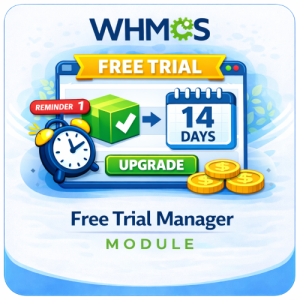
  • WHMCS Free Trial Manager Module

    WHMCS Free Trial Manager Module

    The WHMCS Free Trial Manager Module lets customers try selected products without upfront payment while automating eligibility, reminders, expiry, and upgrades. Included: 7-Day Free Trial Access Multi-Level Technical Support One-Time Payment, No Recurring Fees Lifetime Owned License Instant Download After Purchase Latest WHMCS Compatible
    $49.00 USD
    View DetailsBuy Now
logo

Premium WHMCS modules, OTT/IPTV solutions, payment gateways, and themes for hosting and streaming businesses.

Contact us on Telegram

Quick Links

Home Services Contact Us Blog

Our Services

WHMCS Addons WHMCS OTT Modules WHMCS Payment Gateways WHMCS Client Area Themes WordPress OTT Themes Custom Development

Legal

Terms of Service Refund Policy Privacy Policy

© 2026 WHMCS MODULES. All Rights Reserved.